
Ibo Player Pro Installation Guide in THE BEST IPTV SMARTVPRO
Introduction to IBO Player Pro
IBO Player Pro is a professional media player designed to load IPTV playlists quickly and stream content smoothly on almost any device. Unlike generic players, it focuses on IPTV usage by supporting standard playlist formats such as M3U and Xtream‑Codes API. The official website notes that IBO Player Pro is optimised for Android smart TVs, sticks, smartphones and tablets iboplayer.pro and supports all screen resolutions up to 4 Kiboplayer.pro. It offers a simple user interface, fast streaming and parental controls iboplayer.pro. Because the app does not provide any channels or illegal content, you must supply your own legal IPTV subscription and playlist.
Installation manual for all devices
Android devices:
- Open the Google Play Store.
- Search for IBO Player Pro.
- Download and install the app.
Directe link: Download in Google Play
iOS devices:
- Open the Apple App Store.
- Search for IBO Player Pro.
- Simply install the app and launch it.
👉 Direct link: Download in App Store
LG Smart TV :
- Open the LG Content Store.
- Search for IBO Player Pro.
- Install the app and launch it.
- Directe Link : Download in LG App Store.
Samsung Smart TV:
- Go to Samsung Apps on your TV.
- Search for IBO Player Pro.
- Download and activate the app.
- Download de app voor Samsung TV: https://shorturl.at/nAOUY
Download de Apk voor Android, Amazon Fire TV: https://iboproapp.com/ibopro.apk (downloadcode 481220)
IBO Player Pro App Installation Guide for FireStick
- On the FireStick Home screen, go to Search.
- Find and install the Downloader app.
- Ga naar Instellingen > Mijn Fire TV > Ontwikkelaarsopties en activeer Allow unknown sources.
- Open the Downloader app and enter this code: 834339
- Download and install the IBO PlayerPro APK.
Setting up IPTV in IBO Player Pro
1. Open the app and note down your MAC address and Device Key (important for activation).
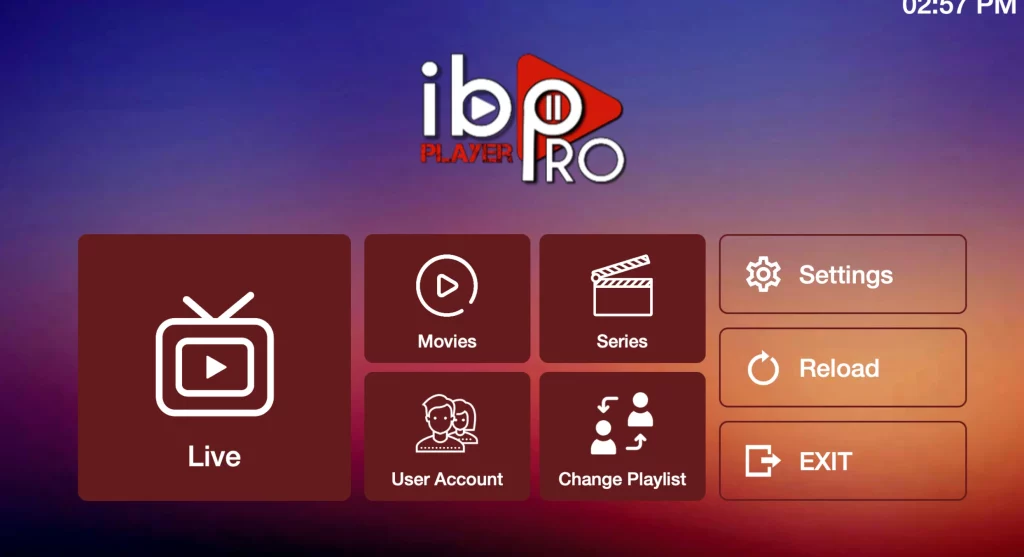
2. Go to Change Playlist in the start menu.
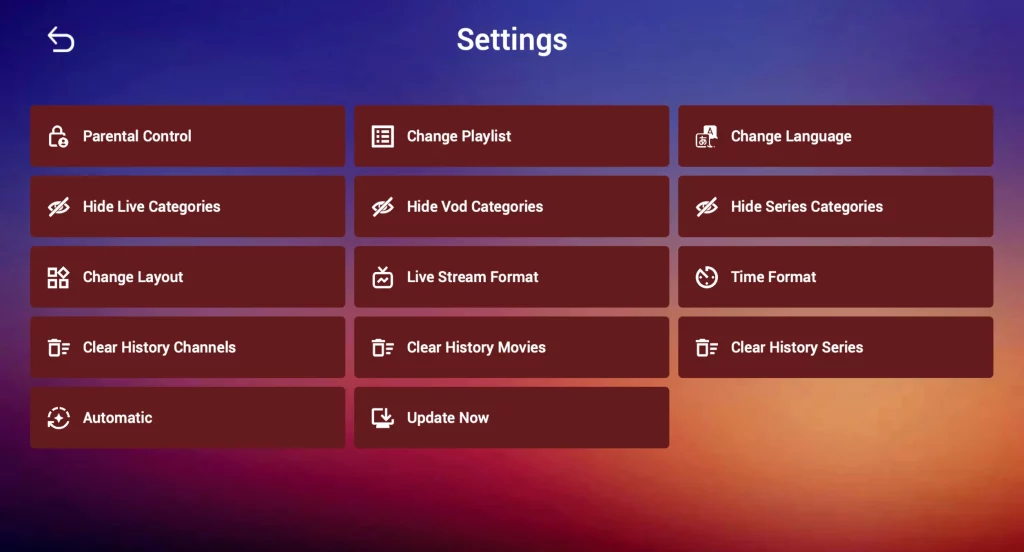
3. Select Add Playlist.
Select whether you want to connect via:
- M3U-link
- Xtream Codes API (recommended)
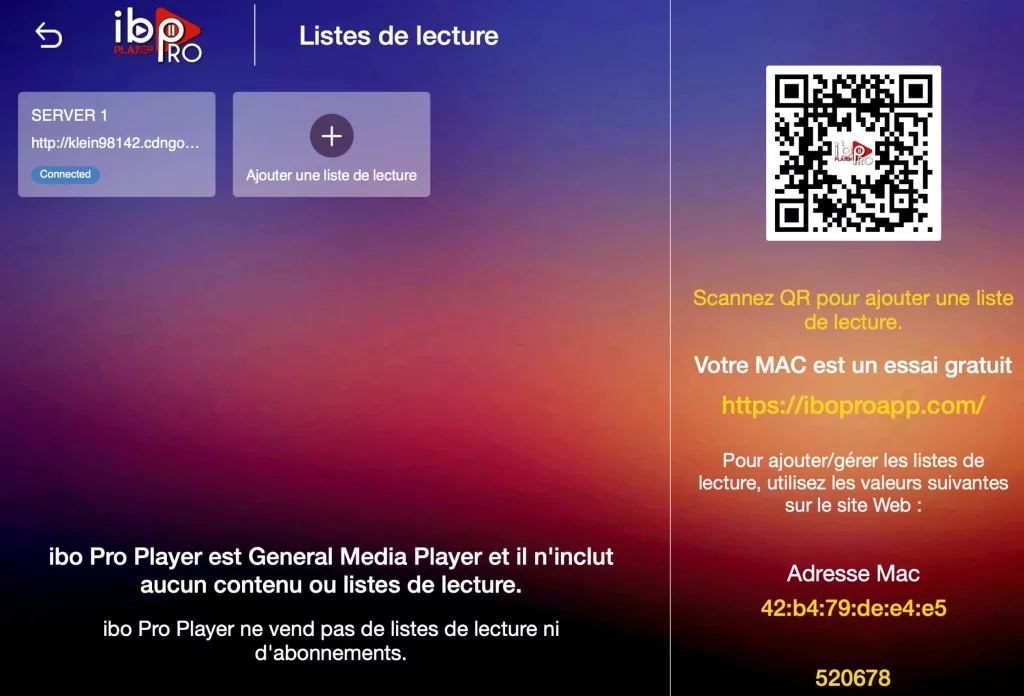
Enter the information you received from Premium Smartvpro.com
Click on Reload and enjoy +42,000 live TV channels and +125,000 movies and series.
Frequently asked questions (FAQ)
- How do I install IBO Player on my LG TV?
➡️ Follow the steps in the LG TV installation guide section.
- Can I use IBO PlayerPro on iPhone or iPad?
➡️ Yes, download the app from the App Store and use your Premium Smartvpro subscription.
- I’m having problems with my playlist, what should I do?
➡️ Verify that your M3U or Xtream codes are correct and that your subscription is active.
For help: send a message to contact[at]premiumdutchiptv.nl or contact us via our WhatsApp.
- Which devices support IBO PlayerPro?
➡️ Android, iOS/MacOS, LG TV, Samsung TV, FireStick, Roku, and more.
Conclusion
The IBO PlayerPro App installation guide provides you with a comprehensive guide to quickly and easily set up IPTV on any device. Combine IBO PlayerPro with your Premium Dutch IPTV subscription and enjoy:
- +42,000 Live TV channels
- +125,000 Movies & Series (VOD)
- EPG & Catch-Up support
- SD/HD/4K quality
- 24/7 support
- VPN protection for secure streaming