
Net IPTV Installation Guide
What is Net IPTV?
Net IPTV is een moderne en lichte applicatie die wordt gezien als een van de beste alternatieven voor Smart IPTV. De app biedt uitstekende prestaties en ondersteunt meerdere platformen:
- Samsung Smart TVs (Tizen OS, from 2016 onwards)
- LG Smart TVs (WebOS 1, 2, and 3) (3.5, 4.0, and 4.5 coming soon)
- Android apparaten en TV’s (via Google Play Store)
- Amazon Fire TV Stick (via Downloader app of directe link)
With Net IPTV kun je eenvoudig je Dutch IPTV abonnement laden en genieten van duizenden zenders en VOD.
💡 Voordeel: De app biedt een gratis proefperiode van 7 dagen. Daarna kun je de app heractiveren voor slechts €5,29 via de officiële portal .
Install Net IPTV with your IPTV subscription
⏱️ Time needed: 8 minutes
Step 1: Find the MAC address
- Start the app and note down the MAC address.
- If not visible, press the red button on your remote control and go to Info.
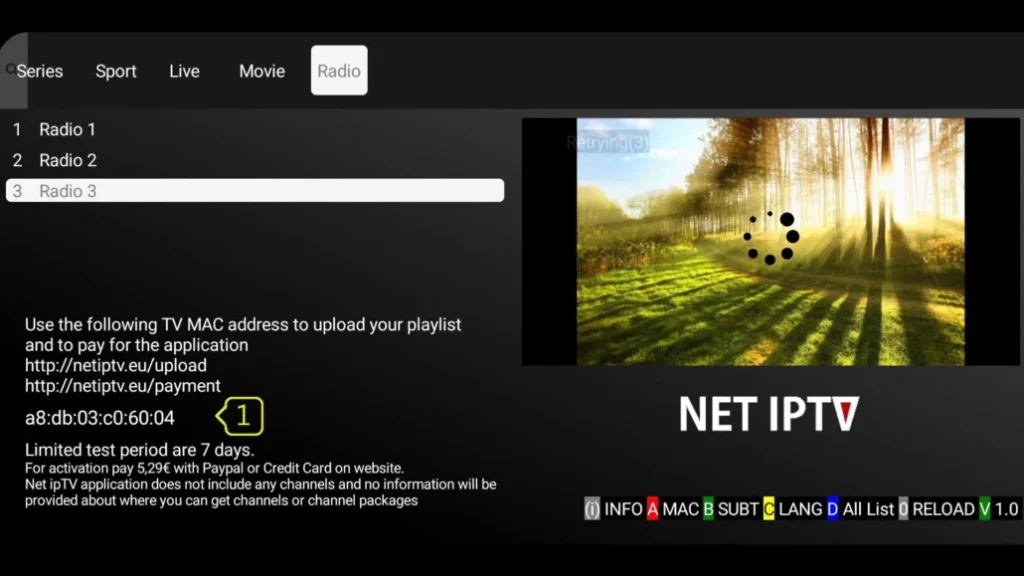
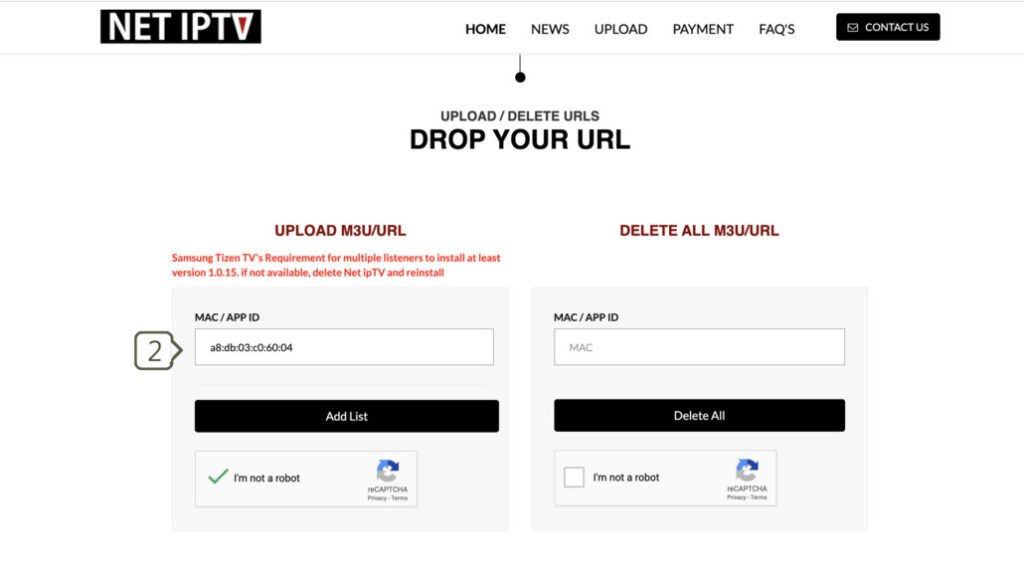
Step 2: Upload M3U link
- Go to netiptv.eu/Upload
- Enter your MAC address in MAC / APP ID.
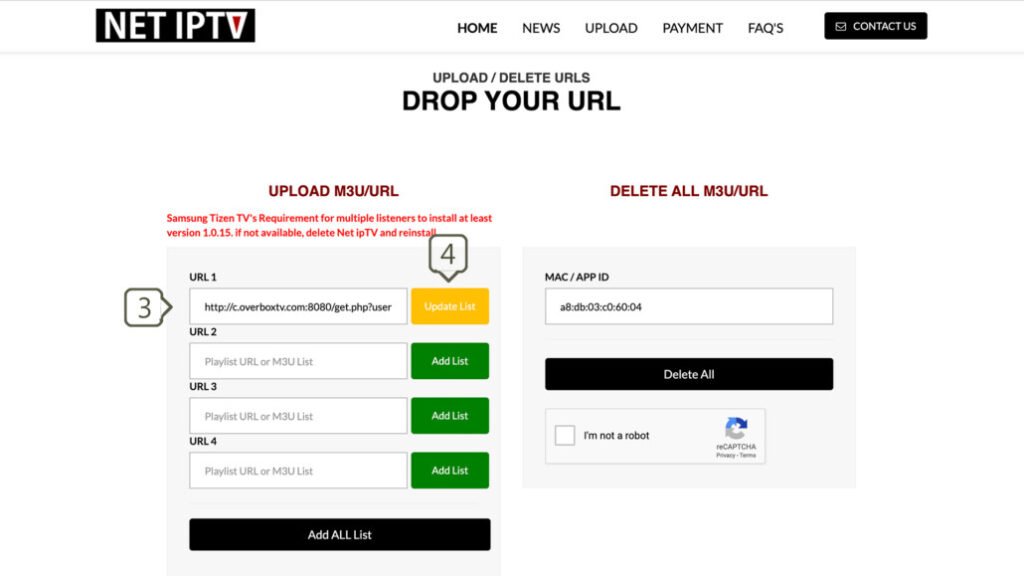
- Add the M3U link you received from your provider and click Add List.
STEP 3 : Refresh list
- Reopen the Net IPTV app.
- Press 0 on your remote control to reload the list.
- All set! 🎉 You can now watch television via your Premium usa IPTV.
Frequently asked questions (FAQ)
1. Where can I find my M3U link or Xtream codes?
You will receive this from your IPTV provider. With Premium usa IPTV, you get direct access to a personal dashboard with your subscription details.
2. Channels are not loading, what should I do?
Check that:
- Your M3U link is still active (test via VLC).
- Your app is still within the trial period or has been activated.
- Your router has been restarted.
- Your list has been added again via the portal.
Why choose Premium usa IPTV?
With Premium usa IPTV, you get:
- Stable connection and high image quality
- VPN integration for secure streams
- Affordable subscriptions (1 month, 3 months, 6 months, 12 months)
- 24/7 support via contact[at]https://smartvpro.com/ of WhatsApp