
best Kodi App Installation Guide – Step-by-Step Setup
Overview
Kodi App is an open-source media player and free application that functions as a digital media center. With Kodi, you can play and cast your media between different devices, from a primary location to other devices.
Je kunt Kodi App gebruiken op de meeste besturingssystemen zoals Android, Windows, Linux, iOS, en apparaten zoals Amazon FireTV, Smartphones, Apple TV, Xbox, Raspberry Pi en PC.
In deze handleiding leer je hoe je jouw IPTV-abonnement Nederland integreert in de nieuwste versie van Kodi.
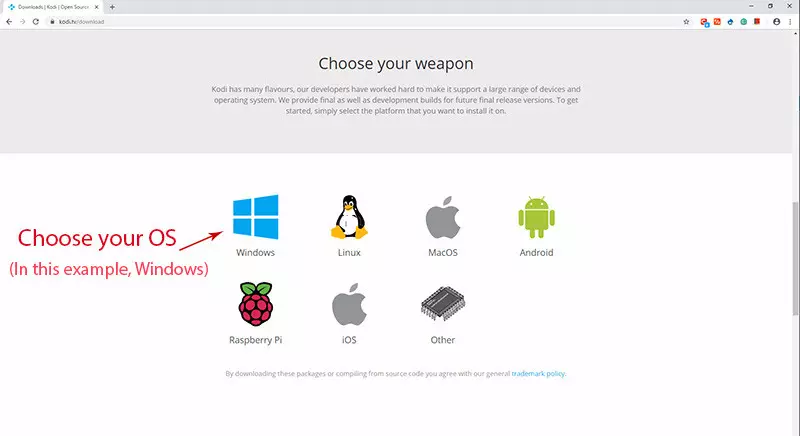
Kodi App Downloaden
Begin met het downloaden van Kodi App op basis van jouw besturingssysteem via: https://kodi.tv/download . Voor dit voorbeeld kiezen we Windows.
ℹ️ Please note: the installation process is similar for all operating systems.
Installing IPTV channels on the Kodi App
⏱️ Time needed: 13 minutes
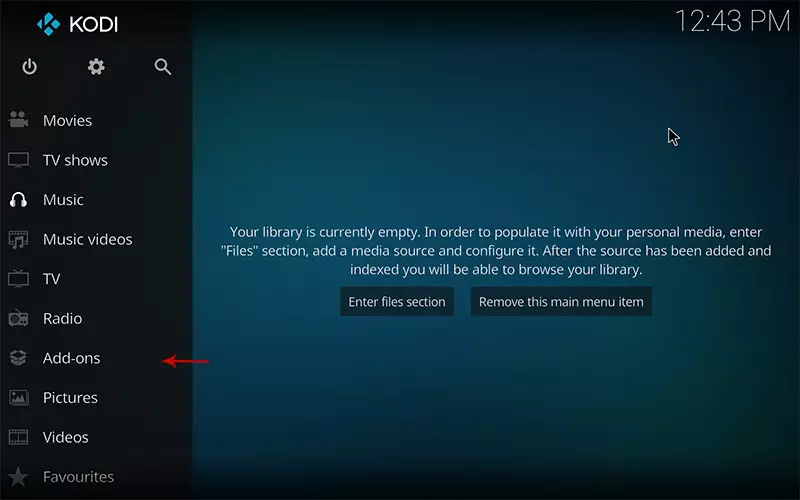
1. Click on “Add-ons.”
Open Kodi and select the Add-ons menu.
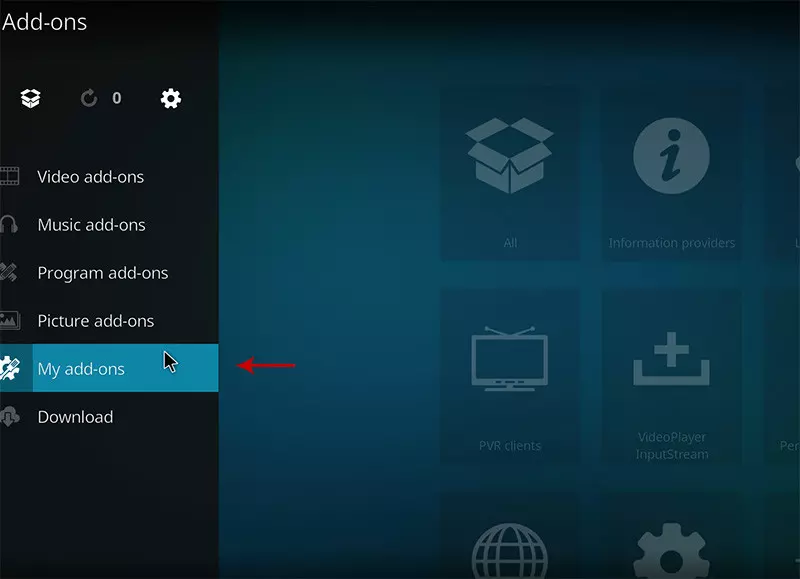
2. Select “My Add-ons.”
Select My Add-ons to customize and configure the desired add-ons.
3. Select “PVR clients”
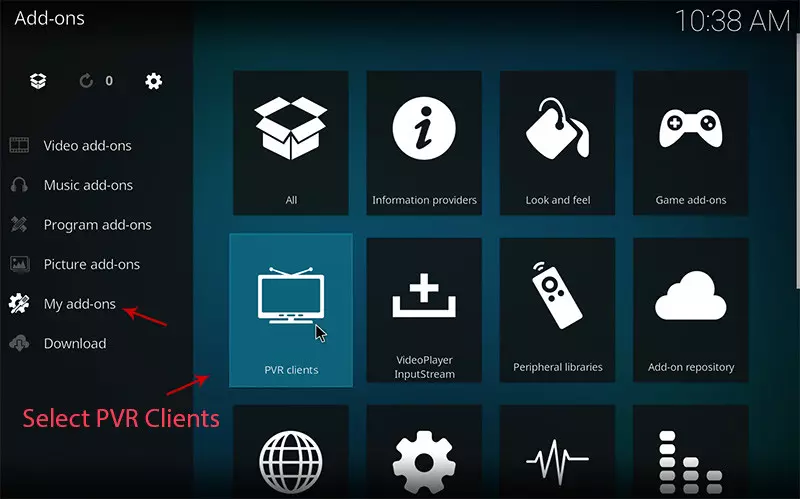
4. Select “PVR IPTV Simple Client.”
There are several third-party add-ons for loading IPTV channels, but PVR IPTV Simple Client is a standard and recommended add-on for Premium USA IPTV.
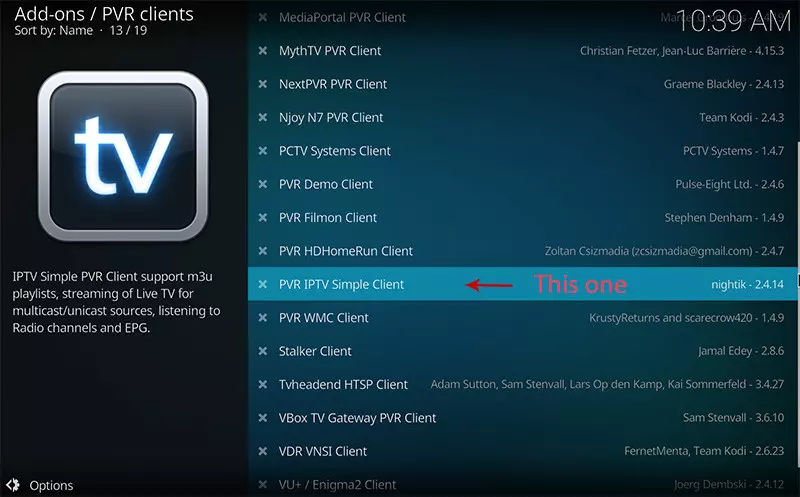
5. Click on “Configure.”
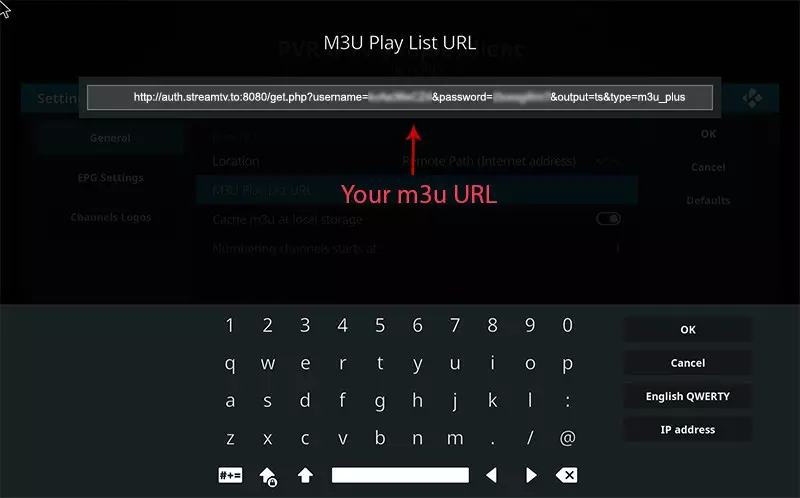
Enter the details of your IPTV subscription in the Netherlands. 6. Select “M3U Play List URL” You can also use a local M3U file, but it is better to enter an M3U list URL so that the channels always remain up to date.
7. Paste your M3U URL
Paste the link you received from Premium USA IPTV.
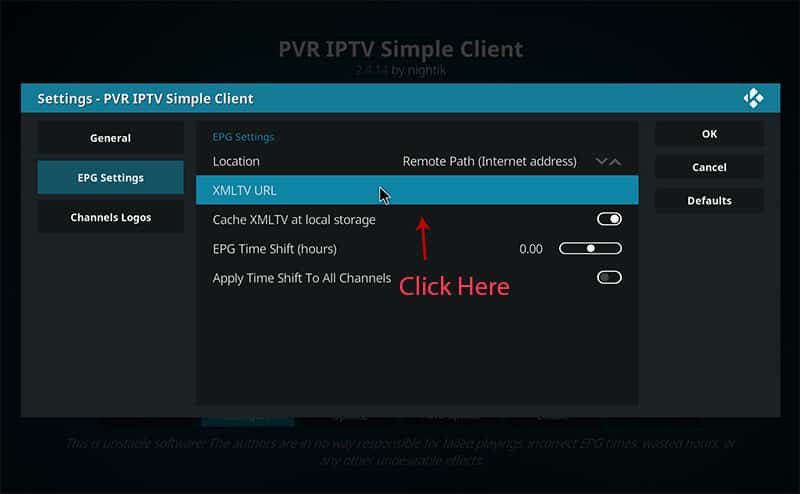
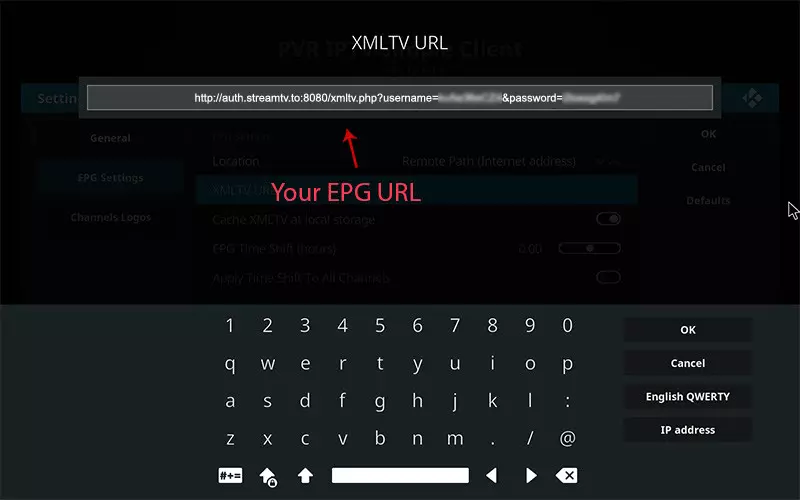
8. Klik op “XMLTV URL” om EPG te installeren
Paste your provider’s EPG URL. Refer to the FAQs to learn how to find the EPG URL.
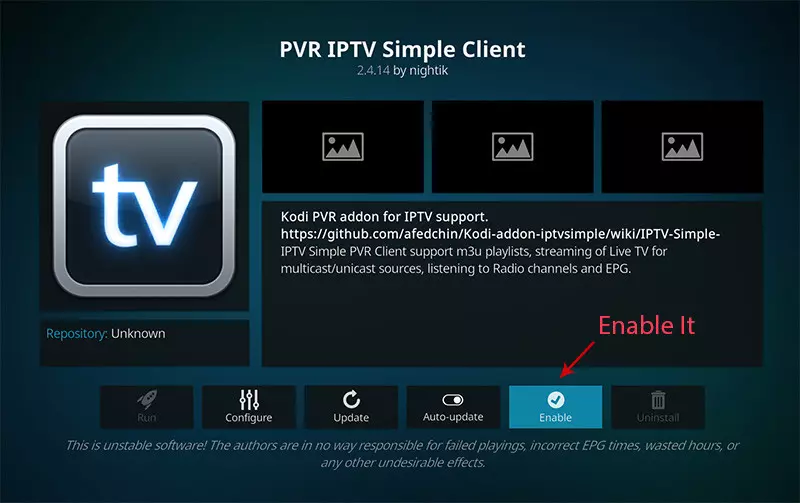
9. Click on “Enable.”
Activate the PVR IPTV Simple Client.
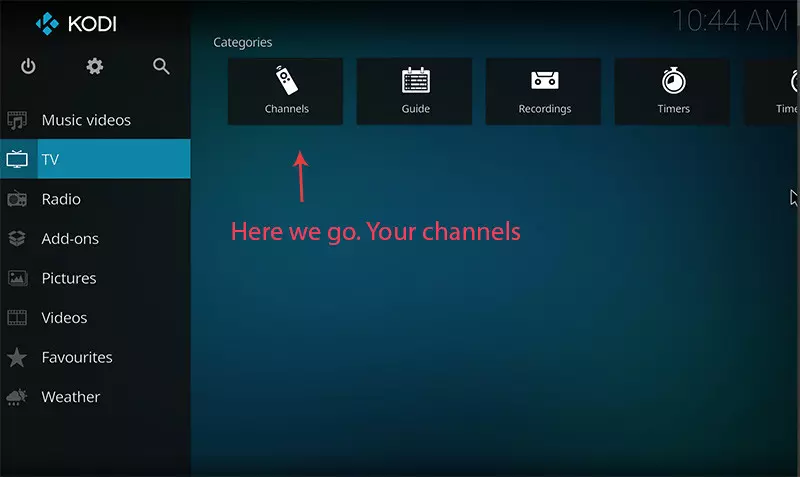
10. Click on “Channels.”
Open Channels om de lijst met zenders en groepen te bekijken.
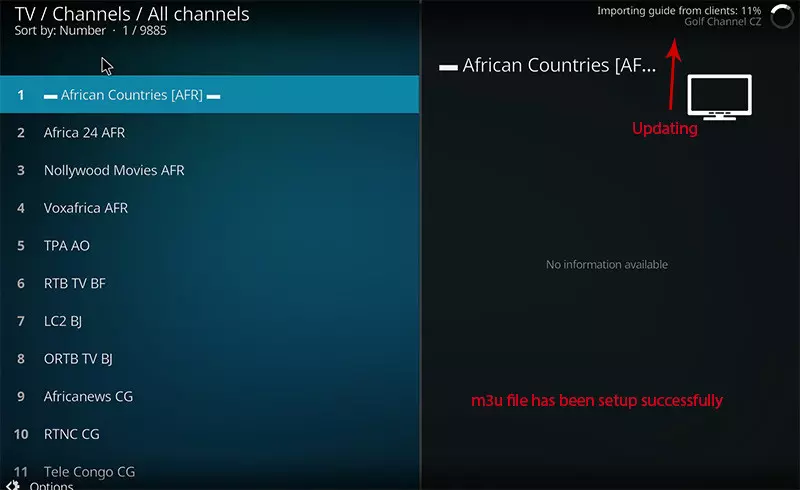
11. Loading channels
Wait until you receive a notification that the channels have been updated and the installation is complete.
Frequently asked questions (FAQ)
How do I find my EPG URL?
You can extract the EPG URL from your M3U link that you received from Premium USA IPTV.
Which IPTV players work with the Kodi App?
Our IPTV subscriptions in the US and CANADA work with the Kodi App, but also with IPTV Smarters Pro, Smart IPTV, TiviMate, Set IPTV, Net Player, IBO Player, Bob Player, and Hot Player.
Why choose Premium Dutch IPTV with Kodi App?
When you use the Kodi App in combination with Premium USA IPTV, you benefit from:
✅ VPN protection for secure streaming
✅ Over 42,000 TV channels 📺
✅ Over 125,000 movies and VODs
✅ Catch-Up & EPG for all channels
✅ 99.9% server uptime
✅ SD/HD/HECV/4K quality
✅ 24/7 support
With this Kodi App installation guide, you can watch all your USA IPTV on any device in just a few minutes, safely and completely up to date.
Other Players and Troubleshooting
Kodi is one of several players you can use. Compare options in our IPTV player guide by device, and if streams do not start, see what to check when IPTV is not working.