
IPTV Options Explained: Plans, Connections, Devices and Apps in One Place
Choosing internet TV means making seven small decisions: how long to subscribe, how many screens, which device, which app, which login format, what picture quality and how to pay. This page lays out every one of your IPTV options side by side.
Read it in five minutes, pick what fits, and start with a $2 trial if you want to test before committing.
Pay with PayPal, Venmo, Amazon Pay or Google Pay · 3-day refund on eligible orders · Instant activation
Every option below gives you the same full service
Table of Contents
Your IPTV Options at a Glance
Most comparison pages throw a long feature list at you. In reality, the choices that change your experience come down to seven questions. Here they are, with our default recommendation for a typical US home.
| Decision | Your options | Our default pick |
|---|---|---|
| Plan length | 1, 3, 6 or 12 months | Start with 1 month, then 12 months |
| Connections | 1 or 2 screens at once, more on request | 1 for couples, 2 for families |
| Device | Smart TV, stick, box, phone, computer | Fire TV Stick 4K |
| Player app | IPTV Smarters, TiviMate, IBO Player and others | IPTV Smarters Pro to start |
| Login format | Xtream Codes or M3U playlist | Xtream Codes |
| Picture quality | SD, HD, Full HD, 4K | HD on Wi-Fi, 4K on Ethernet |
| Payment and trial | PayPal, Venmo, Amazon Pay, Google Pay; $2 trial | Trial first, then PayPal |
The rest of this page explains each line so you can adjust the defaults to your home. None of these IPTV options changes the content: every plan includes the full channel list, the library and support.
Option 1: Plan Length
Of all your IPTV options, the length of your plan has the biggest effect on price. Short plans are flexible; long plans are cheaper per month. Here is how the math works on one connection.
| Plan | Price | Cost per month | Best for |
|---|---|---|---|
| 1 month | $14.99 | $14.99 | First-time users after the trial |
| 3 months | $29.99 | About $10.00 | A sports season |
| 6 months | $39.99 | About $6.67 | Half a year without cable |
| 12 months | $64.99 | About $5.42 | Committed cord cutters |
A sensible path: test with the $2 trial, take one month to be sure, then move to the 12-month plan. You pay a little more at the start but never commit to something you have not tried.
There is also no automatic lock-in. When a plan ends, you decide whether to renew and for how long, so you can follow the sports calendar: three months for the football season, six months for basketball and hockey, or a full year if the whole household is happy. Renewing keeps the same login, so your apps, favorites and guide settings stay exactly as they are. If you travel for part of the year or share a home seasonally, shorter plans give you that flexibility without paying for months you will not use.
Compare IPTV Options and Prices
All IPTV options below include 42,000+ live channels, 125,000+ movies and series, the program guide, catch-up and 24/7 support. Choose the length and the number of simultaneous screens.
1 connection: one screen at a time
1 Month
- 42,000+ live channels
- 125,000+ movies & series
- 4K / FHD / HD quality
- TV guide & catch-up
- All devices, 24/7 support
3 Months
- 42,000+ live channels
- 125,000+ movies & series
- 4K / FHD / HD quality
- TV guide & catch-up
- All devices, 24/7 support
6 Months
- 42,000+ live channels
- 125,000+ movies & series
- 4K / FHD / HD quality
- TV guide & catch-up
- All devices, 24/7 support
12 Months
- 42,000+ live channels
- 125,000+ movies & series
- 4K / FHD / HD quality
- TV guide & catch-up
- All devices, 24/7 support
2 connections: two screens at once
1 Month
- 42,000+ live channels
- 125,000+ movies & series
- 4K / FHD / HD quality
- TV guide & catch-up
- All devices, 24/7 support
3 Months
- 42,000+ live channels
- 125,000+ movies & series
- 4K / FHD / HD quality
- TV guide & catch-up
- All devices, 24/7 support
6 Months
- 42,000+ live channels
- 125,000+ movies & series
- 4K / FHD / HD quality
- TV guide & catch-up
- All devices, 24/7 support
12 Months
- 42,000+ live channels
- 125,000+ movies & series
- 4K / FHD / HD quality
- TV guide & catch-up
- All devices, 24/7 support
Want to see the options organized by device? Visit IPTV subscription plans by device, or read the multiple-device guide.
What Every Option Includes
Whatever length, device or app you choose, the content and the service stay exactly the same. You never unlock a better channel list by paying more, and you never lose features by choosing a shorter plan.
42,000+ live channels
US networks, local news, sports, kids, documentaries and channels from dozens of countries, organized by country and category.
125,000+ on-demand titles
Movies and complete series, from recent releases to classics, ready to stream whenever you like.
Guide and catch-up
An electronic program guide with now-and-next listings, plus catch-up on supported channels.
24/7 human support
Help on WhatsApp and email for setup, account and channel questions, any time of day.
This is why we keep the decision simple. The only real IPTV options are the ones that depend on your home: how long, how many screens and which devices. Everything else is included from day one, with instant activation and login details sent by email within minutes of payment.
If you want to compare our service with others on the market, our pages on the IPTV provider landscape and on direct IPTV suppliers versus resellers explain what to look for and which warning signs to avoid.
Option 2: Number of Connections
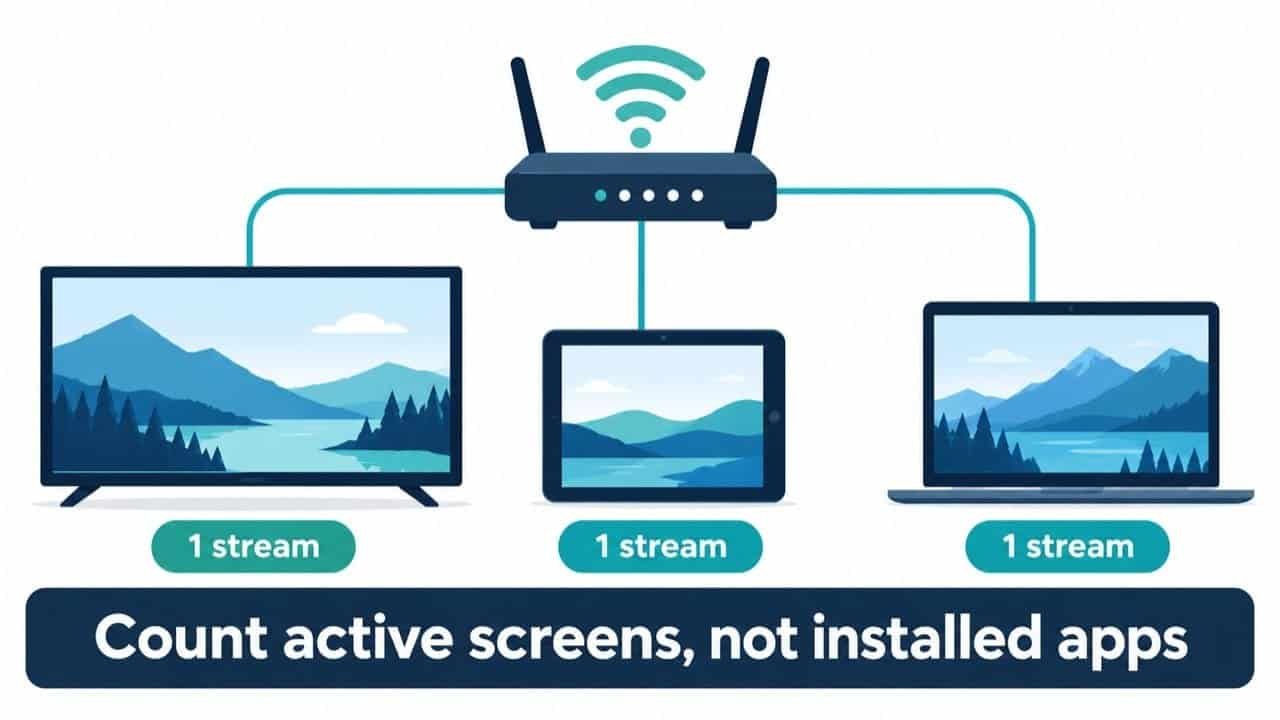
Connections are the IPTV options people most often get wrong. A connection is a stream playing right now. You can install the app on every device in the house, but only as many screens as you have connections can play at the same moment.
- 1 connection: one TV at a time. Good for singles and most couples.
- 2 connections: two screens simultaneously. Good for families or two sports fans with different teams.
- 3 or more: available as a custom package. Ask support for a price.
If you are unsure, start with one connection. Upgrading later is easy, and you will know from real use whether two people regularly watch at the same time.
Option 3: Your Streaming Device
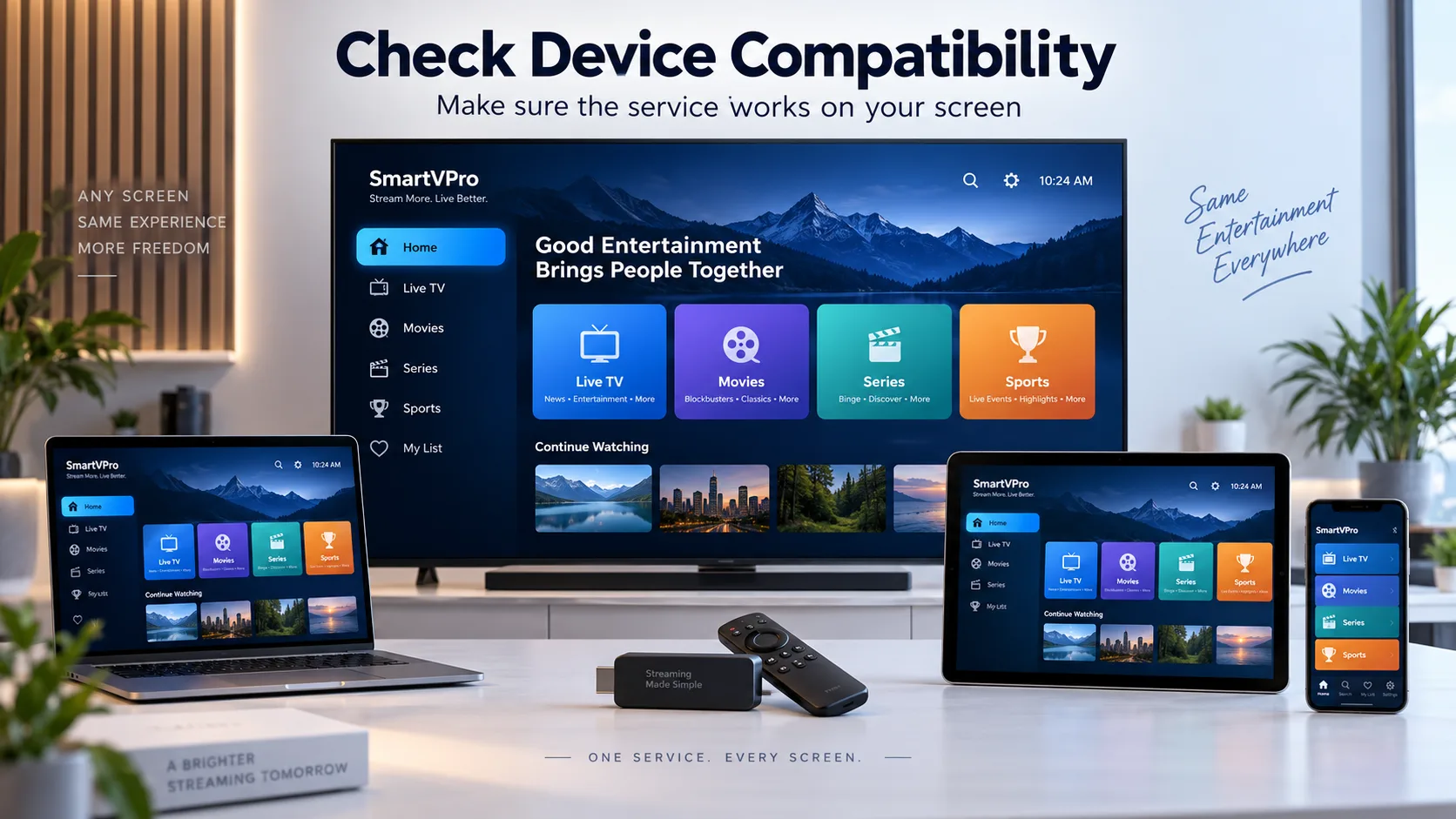
Among all IPTV options, the device is the one you probably already have. Our service runs on nearly everything, but some devices are smoother than others.
| Device | Strengths | Watch out for |
|---|---|---|
| Fire TV Stick 4K | Cheap, fast, every major app available | Needs a quick setting to install some apps |
| Android TV or Google TV box | Most app choice, strong performance | Quality varies between brands |
| Samsung or LG smart TV | No extra device needed | Fewer apps in the TV store |
| Apple TV, iPhone, iPad | Polished apps, great picture | Some players are paid |
| Windows or Mac | Big screen at the desk | Best for occasional viewing |
Option 4: The Player App
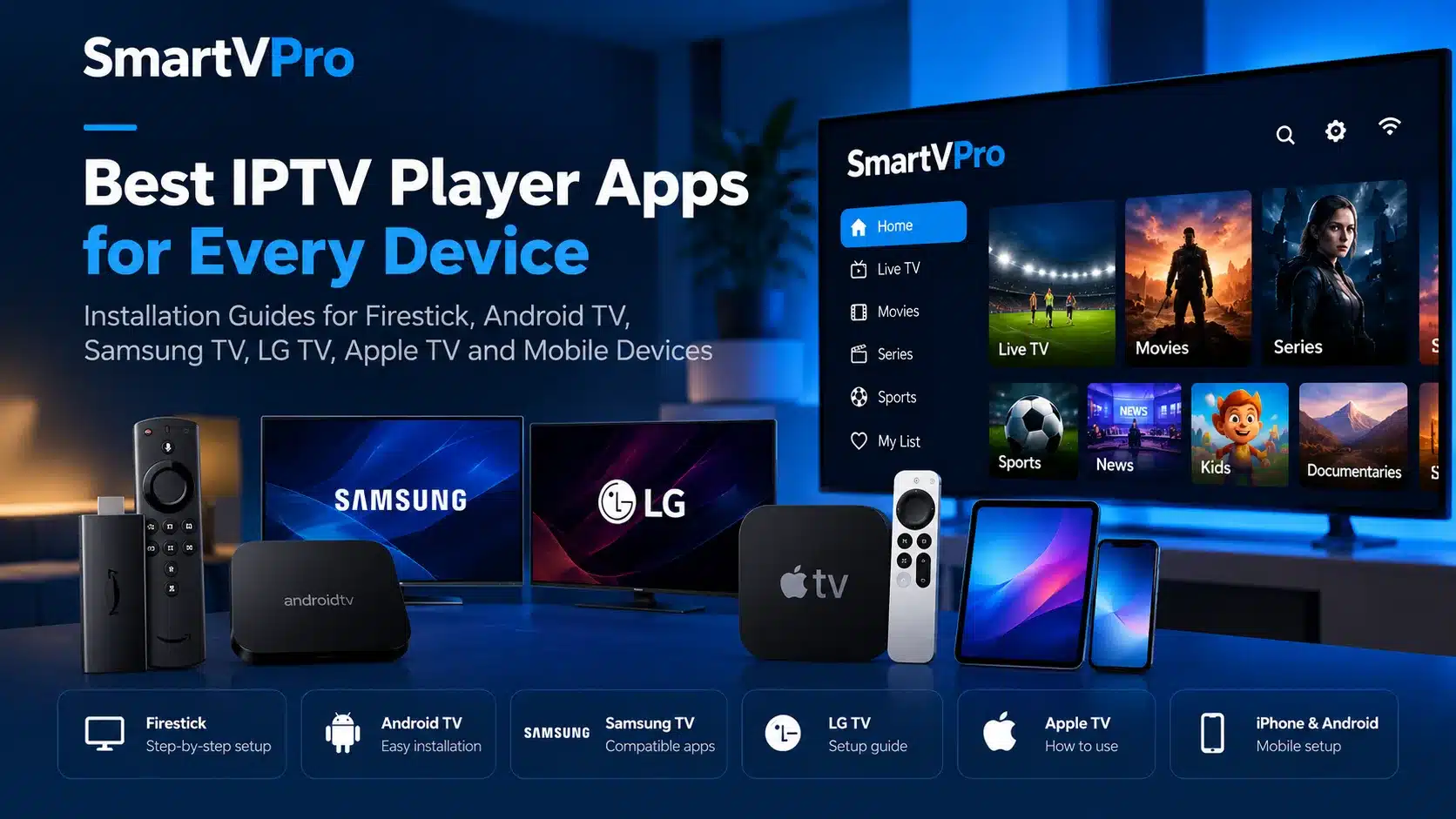
The player app is one of the IPTV options you will notice every day, because it is the interface you see. Since our service is separate from the app, you are free to choose the one you like best and switch at any time.
IPTV Smarters Pro
Free, simple and available on most devices. A great first choice.
TiviMate
A cable-style guide, favorites and recording features on Android TV and Fire TV.
IBO Player and others
Popular on smart TVs where other apps are not available.
Step-by-step instructions are in our player installation tutorial.
Option 5: Xtream Codes or M3U Playlist
When it comes to login IPTV options, we can send your access in two formats. Both unlock exactly the same content; the difference is how the app organizes it.
- Xtream Codes: a server URL, username and password. The guide loads automatically and live TV, movies and series appear in separate menus. Recommended for TVs.
- M3U playlist: a single link that works in almost any player, including VLC on a computer. The guide is added as a separate link.
You can ask for both and use Xtream Codes on the TV and M3U on a laptop. It is one of the IPTV options that costs nothing extra and makes setup easier.
Option 6: Picture Quality and Internet Speed
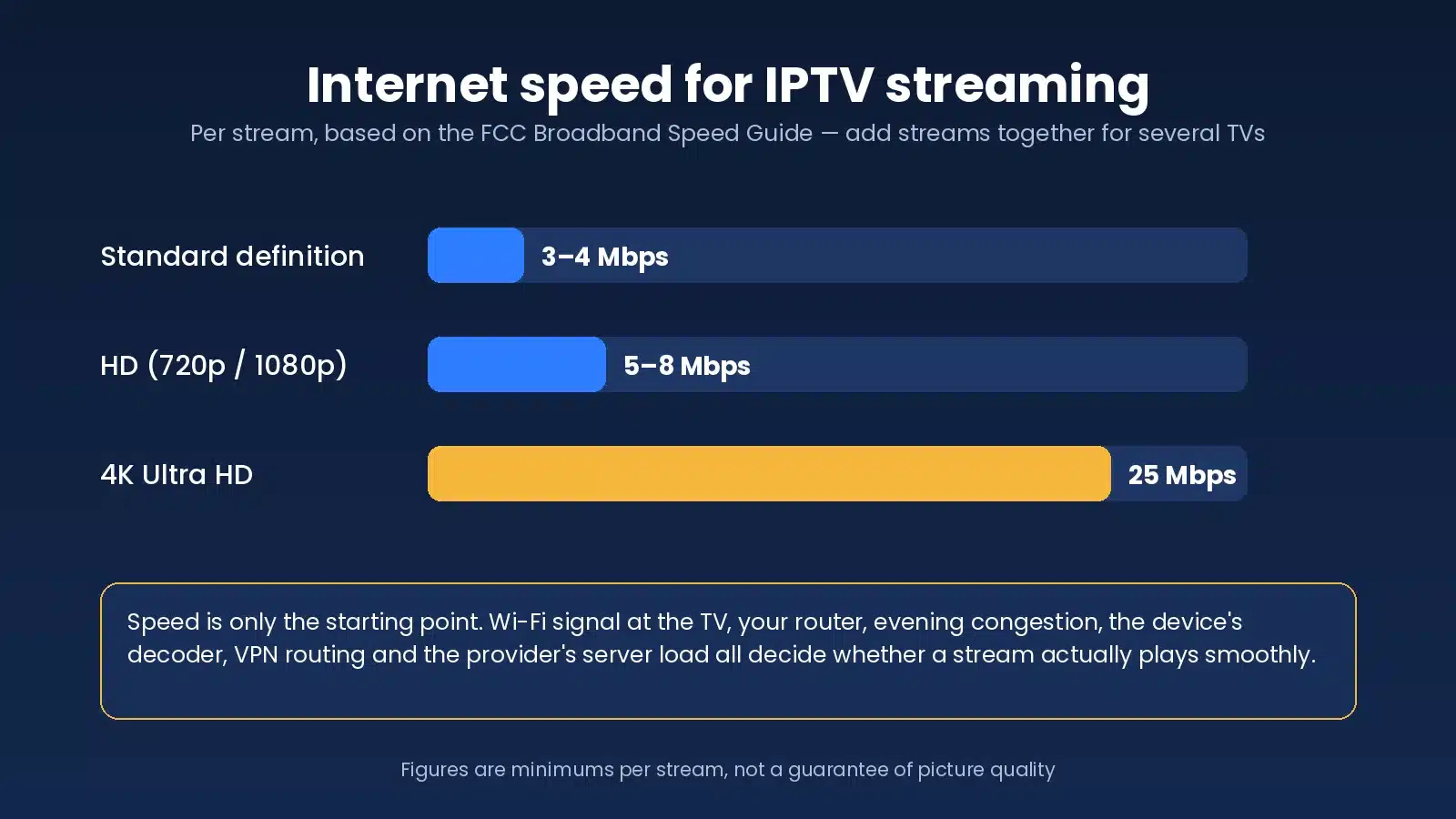
Picture quality is one of the IPTV options people overthink. Most channels are available in several qualities. The right choice depends on your connection and the device, not just on what looks best on paper.
- SD: around 5 Mbps. Useful on weak connections or mobile data.
- HD and Full HD: about 10 to 15 Mbps. The best balance for most homes.
- 4K: 25 Mbps or more, ideally on Ethernet, on a 4K-capable TV and device.
If several people stream at once, add their needs together. Two 4K streams need around 50 Mbps of stable bandwidth.
Option 7: Trial, Payment and Refund
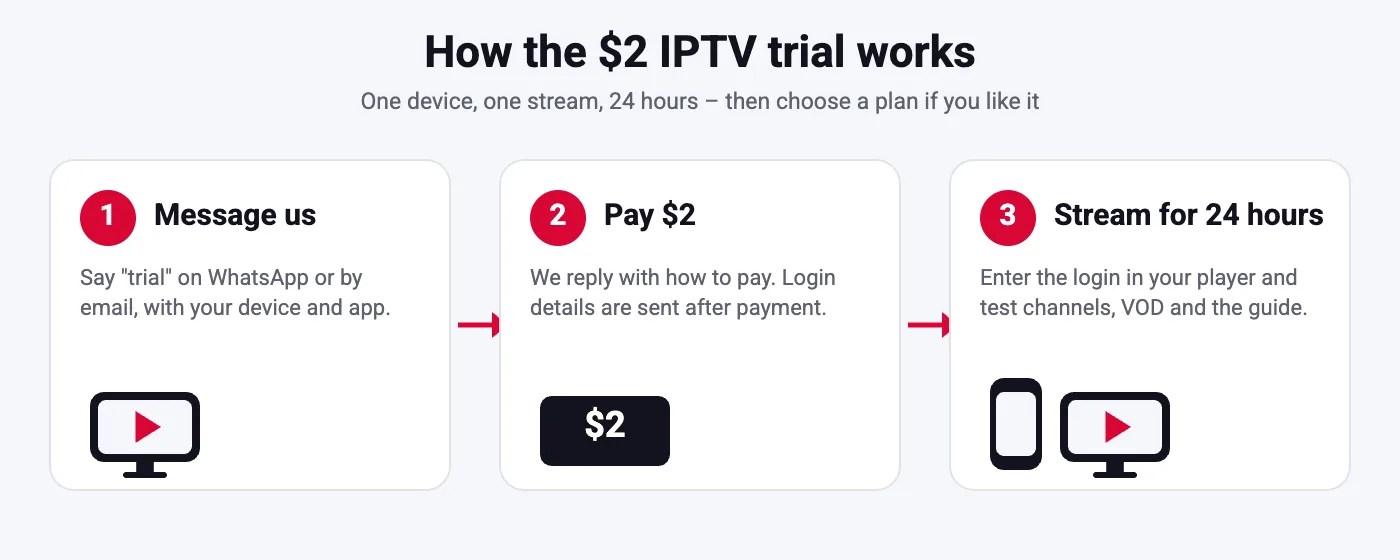
$2 trial
24 hours on one device with the full service. How it works.
Payment methods
PayPal, Venmo, Amazon Pay or Google Pay, with instant activation after confirmation.
Refund policy
Eligible orders are covered for three days. Read the refund policy.
Of all the IPTV options, the trial is the one we recommend most. It answers the questions no page can: how fast channels load on your TV and how the service behaves on your internet during a live event.
Best Options for Sports Fans
If live sports are the main reason you are comparing IPTV options, a few choices matter more than the rest. Stability during peak minutes beats any channel count, and your home setup plays a big part.
Device
A Fire TV Stick 4K or an Android TV box handles high-bitrate sports streams better than older smart TV apps.
Connection
Plug in an Ethernet cable for big games. It removes most of the drops people blame on the service.
App
TiviMate or IPTV Smarters Pro with favorites, so you jump to the right channel in two clicks.
Plan
Two connections if two people follow different games at the same time on Sundays.
Football, basketball, hockey, baseball, soccer, boxing, UFC and PPV channels are part of every plan. Check your teams’ networks in the channel list, and run the $2 trial on a game day to see the stream under real load.
Best Options for Families and Shared Homes
Families should weigh IPTV options differently. They need a setup that keeps everyone happy without arguments over the remote. That usually means more than one connection, a simple app for the kids and a way to keep adult content out of reach.
- Two connections so the living room and a bedroom can watch at the same time.
- A simple player such as IPTV Smarters Pro on the children’s TV, with favorites set up for them.
- Parental controls in the player app to lock categories with a PIN.
- Kids and family channels plus thousands of family films in the on-demand library.
Households with three or more screens watching at once can ask for a custom package. Read the multiple-device buyer’s guide to estimate how many simultaneous streams you really need before choosing.
IPTV Options vs Cable and Live TV Apps
Before choosing within IPTV, it helps to compare it with the other ways to watch live TV in the United States.
| Option | Typical monthly cost | Channels | Contract |
|---|---|---|---|
| Cable or satellite | Often $80 to $150 with fees | A few hundred | Often 12 to 24 months |
| Major live TV streaming apps | Roughly $45 to $90 | About 100 | Monthly |
| SmartVPro | From about $5.42 on the annual plan | 42,000+ plus 125,000+ titles | No long-term contract |
Mainstream prices change often, so check current rates. For a full explanation of how IPTV works and what it costs, read our IPTV explainer, see the general background on Wikipedia, or compare providers on our IPTV provider page and our list of IPTV solutions for every home.
5 Common Mistakes When Comparing IPTV Options
We talk to new subscribers every day. These are the mistakes we see most often, and how to avoid them.
- Buying 12 months before testing. The cheapest monthly price is useless if the service does not suit your TV. Test first, then commit.
- Confusing installs with connections. Installing the app on five devices does not let five people watch at once.
- Judging by channel count alone. Forty thousand channels mean nothing if your local news or favorite sports network is missing.
- Blaming the service for slow Wi-Fi. Test your speed on the TV itself. A weak signal in the bedroom causes most buffering complaints.
- Ignoring support and refund terms. When something goes wrong, the speed of support matters more than any feature on a comparison chart.
Avoid these five and the choice between IPTV options becomes simple: the right length, the right number of screens, a device you already own and an app you like using. For more checks, read how to choose an IPTV provider.
IPTV Options FAQ
What are the main IPTV options to choose from?
Plan length, number of connections, device, player app, login format, picture quality and payment method. Every other feature is the same across plans.
Which of the IPTV options is cheapest per month?
The 12-month plan on one connection, at $64.99, which works out to about $5.42 per month.
Do all plans include the same channels?
Yes. Every plan includes 42,000+ live channels, 125,000+ movies and series, the guide, catch-up and support. Only length and connections change.
What is the difference between one and two connections?
One connection lets one screen play at a time. Two connections let two screens play simultaneously. You can install the app on as many devices as you like.
Which device is the best of the IPTV options?
For most people, a Fire TV Stick 4K. It is inexpensive, fast and supports all the major player apps.
Should I choose Xtream Codes or M3U?
Xtream Codes for TVs and streaming sticks, because the guide loads automatically. M3U for computers or players that only accept playlists.
Is 4K one of the IPTV options on every channel?
No. Many channels are HD or Full HD, with 4K on selected channels and content. You also need 25 Mbps or more and a 4K device.
Can I change my options later?
Yes. You can renew with a different length or add a connection at renewal. Support can help you adjust.
Is there a free trial?
No, but the 24-hour trial costs only $2 on one device.
How do I pay?
PayPal, Venmo, Amazon Pay or Google Pay. Activation is instant after payment and your login arrives by email.
Your IPTV options, simplified
Pick a length, pick the screens, keep your devices. Everything else is included from $14.99 per month.