
IPTV Subscribe: How to Subscribe to SmartVPro and Start Watching in Minutes
This is the complete IPTV subscribe guide for SmartVPro: which plan to pick, how checkout works, what arrives in your inbox and how to get the first channel playing on your TV.
The whole IPTV subscribe process takes about ten minutes, and you keep the devices you already own. Want to test first? Start with the 24-hour trial for $2.
Pay with PayPal, Venmo, Amazon Pay or Google Pay · 3-day refund on eligible orders · Instant activation

What is included the moment you subscribe
Table of Contents
IPTV Subscribe in 4 Steps
Here is the full IPTV subscribe flow at a glance. Each step is explained in detail further down the page.
- Pick your plan. Choose 1, 3, 6 or 12 months and one or two simultaneous connections.
- Check out securely. Pay with PayPal, Venmo, Amazon Pay or Google Pay. Enter a valid email address, because that is where your login goes.
- Receive your login. Activation is instant after payment confirmation. Your Xtream Codes or M3U details arrive by email within minutes.
- Install an app and watch. Add the login to IPTV Smarters Pro, TiviMate or another player on your TV, stick, phone or computer.
That is all. There is no installer visit, no equipment to rent and no contract to sign. If anything in the IPTV subscribe process is unclear, message support on WhatsApp and a real person will walk you through it.
Before You Subscribe: A 5-Minute Checklist
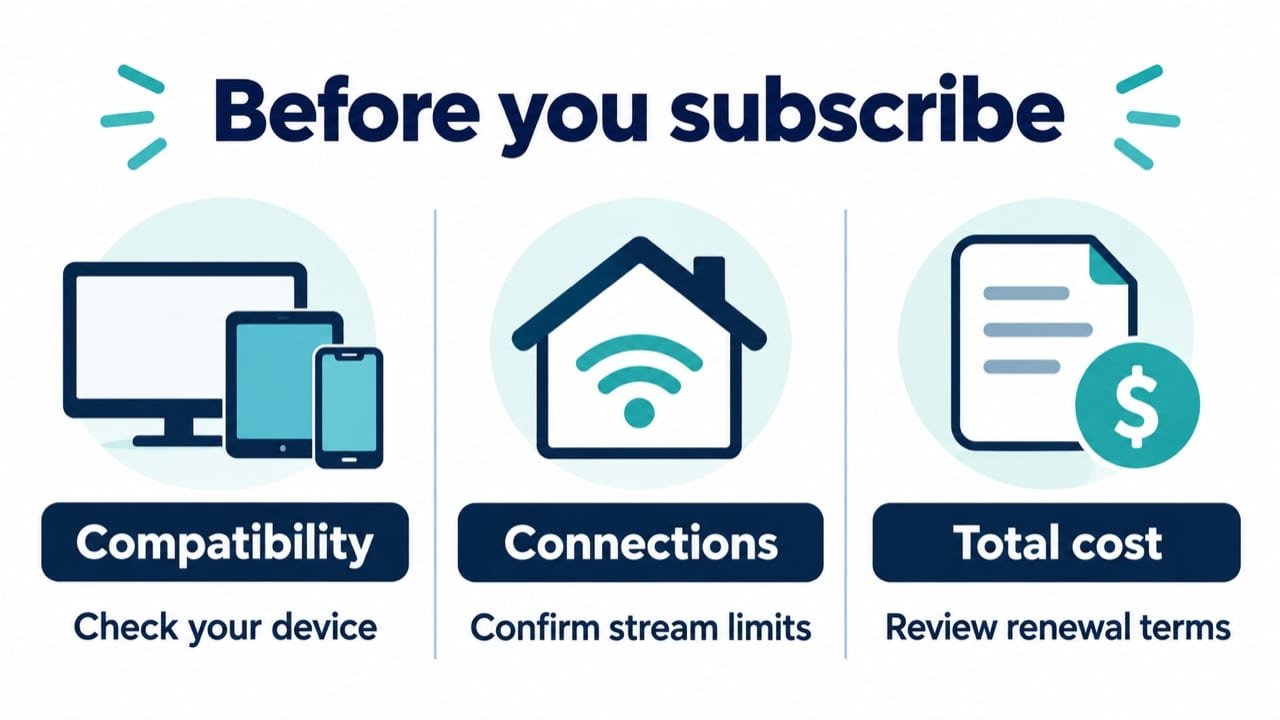
A little preparation makes the IPTV subscribe step smoother and helps you pick the right plan the first time.
- Count your screens. How many TVs or devices watch at the same time on a busy evening? That number is your connection count.
- Check your internet speed. Test on the TV or stick you will use. Aim for 10 to 15 Mbps for HD and 25 Mbps or more for 4K.
- Confirm your device. Fire TV, Android TV, Samsung, LG, Apple TV, phones and computers all work. Older smart TVs may need a streaming stick.
- Look up your channels. Open the channel list and search for the networks you watch every week.
- Decide trial or plan. First time with IPTV? The $2 trial is the safest start.
What You Get When You IPTV Subscribe
Every IPTV subscribe option unlocks the same complete service. You are not choosing between basic and premium channel packs; you are only choosing how long and how many screens.
Live TV
42,000+ channels: US networks, local news, sports, entertainment, kids and international channels organized by country.
On demand
125,000+ movies and series, from new releases to complete seasons, ready whenever you are.
Guide and catch-up
Now-and-next listings in the program guide, plus catch-up to replay shows on supported channels.
Quality and support
HD, Full HD and 4K streams where available, with 24/7 help on WhatsApp and email.
Because the content is identical across plans, the IPTV subscribe decision is mostly about your household. One person watching in the living room needs one connection. Two people watching different programs at the same time need two.
IPTV Subscribe Plans and Prices
Every plan on this IPTV subscribe page includes the full service: 42,000+ live channels, 125,000+ movies and series, the program guide, catch-up and 24/7 support. Click a plan to go straight to checkout.
1 connection: one screen at a time
1 Month
- 42,000+ live channels
- 125,000+ movies & series
- 4K / FHD / HD quality
- TV guide & catch-up
- All devices, 24/7 support
3 Months
- 42,000+ live channels
- 125,000+ movies & series
- 4K / FHD / HD quality
- TV guide & catch-up
- All devices, 24/7 support
6 Months
- 42,000+ live channels
- 125,000+ movies & series
- 4K / FHD / HD quality
- TV guide & catch-up
- All devices, 24/7 support
12 Months
- 42,000+ live channels
- 125,000+ movies & series
- 4K / FHD / HD quality
- TV guide & catch-up
- All devices, 24/7 support
2 connections: two screens at once
1 Month
- 42,000+ live channels
- 125,000+ movies & series
- 4K / FHD / HD quality
- TV guide & catch-up
- All devices, 24/7 support
3 Months
- 42,000+ live channels
- 125,000+ movies & series
- 4K / FHD / HD quality
- TV guide & catch-up
- All devices, 24/7 support
6 Months
- 42,000+ live channels
- 125,000+ movies & series
- 4K / FHD / HD quality
- TV guide & catch-up
- All devices, 24/7 support
12 Months
- 42,000+ live channels
- 125,000+ movies & series
- 4K / FHD / HD quality
- TV guide & catch-up
- All devices, 24/7 support
Need three or more screens at once? Message support for a custom package, or read the multiple-device guide first. You can also compare plans by device.
Which Plan Should You Subscribe To?
Use this quick table to match your home with a plan before you go through the IPTV subscribe checkout.
| Your situation | Suggested plan | Cost per month |
|---|---|---|
| Trying IPTV for the first time | $2 trial, then 1 month | $14.99 |
| One main TV, happy after testing | 12 months, 1 connection | About $5.42 |
| Following one sports season | 3 months, 1 connection | About $10.00 |
| Two TVs watching at once | 12 months, 2 connections | About $9.83 |
| Three or more screens at once | Custom package | Ask support |
Unsure? Message support with the number of TVs and what you watch most. We will point you to the smallest plan that works, so you never pay for screens you do not use.
Checkout and Payment: What to Expect
When you click a plan, the item goes straight into the checkout. Our IPTV subscribe checkout is short on purpose: a name, an email address and your payment method.
Payment methods
PayPal, Venmo, Amazon Pay and Google Pay. Card details are handled by the payment provider, not stored by us.
Your email address
Use one you check often. Your login, receipt and renewal reminders all arrive there.
Order confirmation
You see a confirmation page immediately, followed by an email with your order number.
If a payment fails, the most common reasons are an expired card in the wallet or a bank security check. Try again or use another method, and contact support if the problem continues. We never ask for your password or card number over chat.
After You Subscribe: Activation and Login
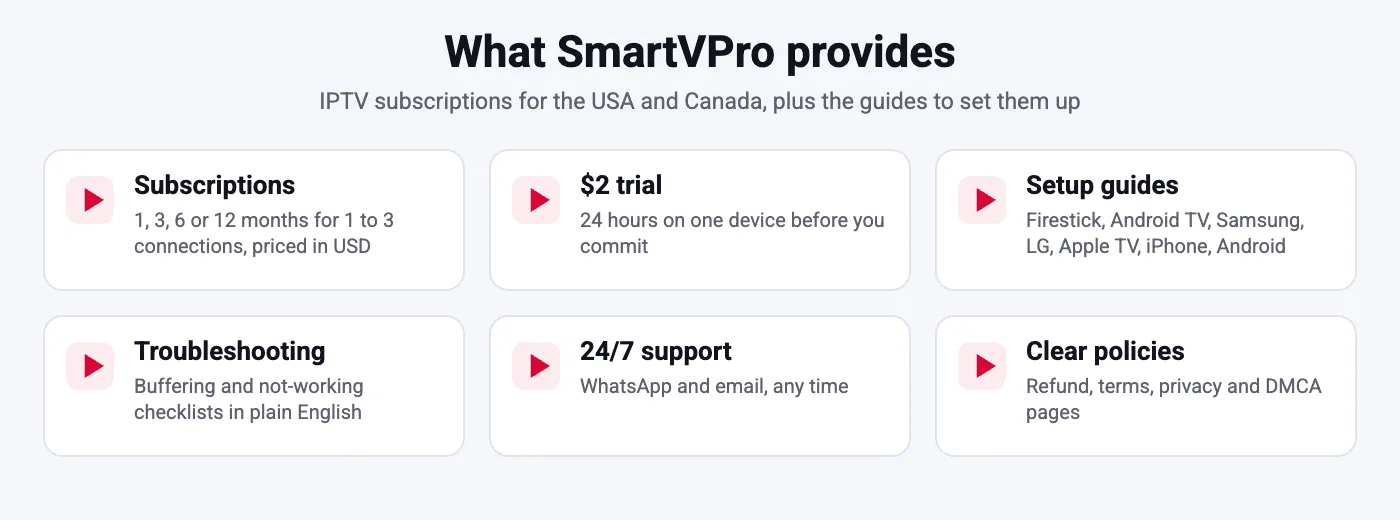
Once payment is confirmed, your account is activated automatically. Within minutes you receive an email with everything you need:
- Xtream Codes details: server URL, username and password, ideal for TVs and streaming sticks.
- M3U playlist link: on request, for players or computers that only accept playlists.
- Setup links: the right installation guide for your device.
No email after 15 minutes? Check the spam and promotions folders first, then message support with your order number. We resend the details immediately. Keep the email somewhere safe, because you will need the same login when you add a new device.
Set Up Your Device After Subscribing
The last part of the IPTV subscribe journey is putting the login into an app. It takes five to ten minutes on most devices.
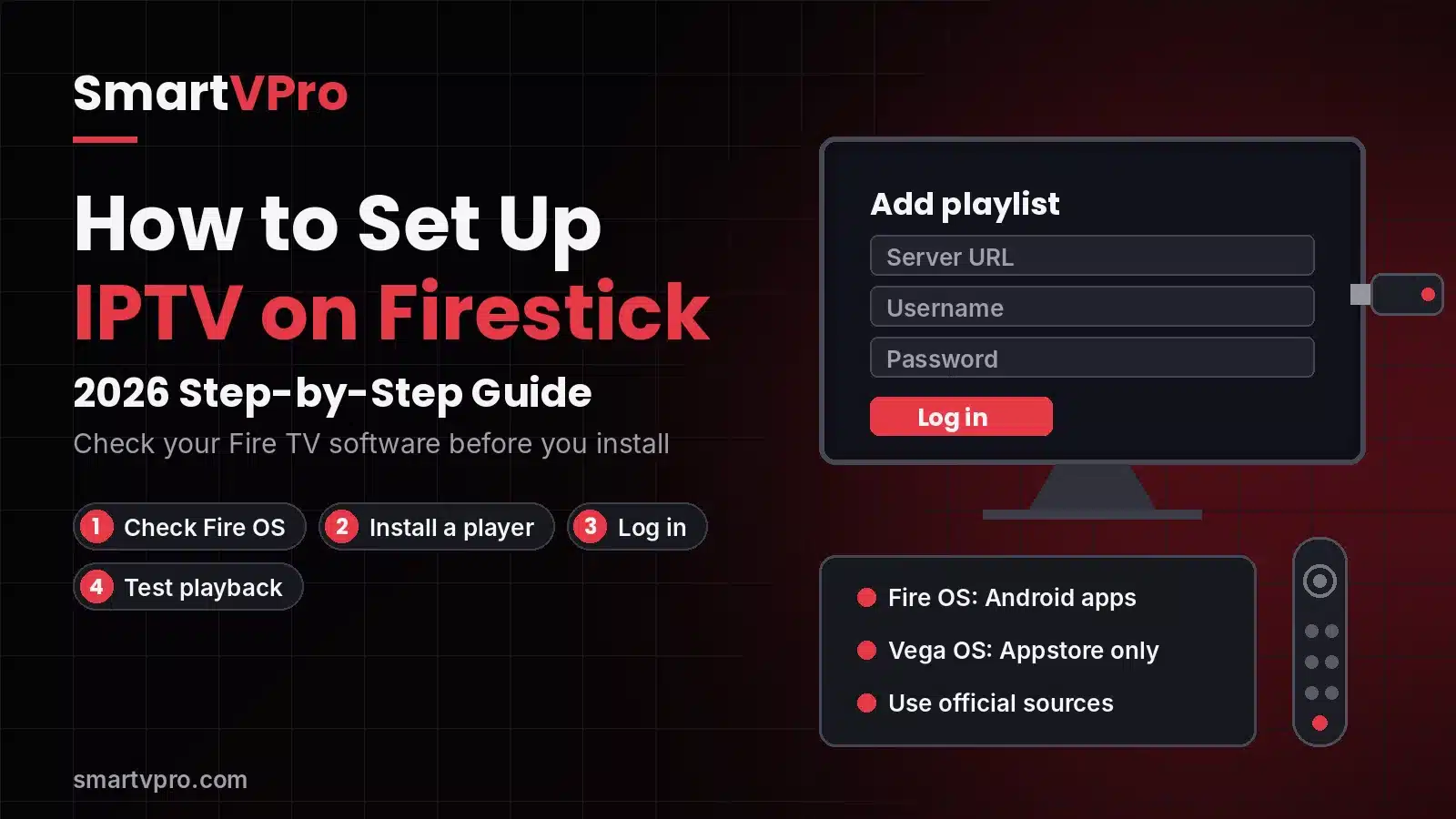
Detailed instructions for every device are in the IPTV player installation tutorial. Prefer help? Send us your device model on WhatsApp and we guide you live.
Managing, Renewing and Upgrading
After your first IPTV subscribe order, managing the account is simple.
Renew
Renew before the end date from My Account or by contacting support. Your login stays the same, so nothing needs reinstalling.
Upgrade
Moving from one to two connections, or from monthly to annual, is done at renewal. Support can also help mid-plan.
No contract
There is no long-term commitment. If you do not renew, the service simply ends at the close of your plan.
Many subscribers start with one month, then switch to the 12-month plan once they are happy. That path costs a little more at the start but never locks you into something you have not tried.
Subscribing Around the Sports Calendar
Many people time their IPTV subscribe order with the sports season. Because there is no contract, you can match plan length to the events you care about.
- Football season: a 3-month plan from September covers most of the regular season and playoffs.
- Basketball and hockey: a 6-month plan runs from late fall through the spring.
- Baseball and summer soccer: another 3 or 6 months fills the warm-weather calendar.
- All year: if the household watches everything, the 12-month plan is the cheapest per month.
Sports and PPV channels are included in every plan. Before a big event, use a wired connection and make sure your app is up to date, so the stream is ready when the game starts.
Trial or Full Subscription: Which First?
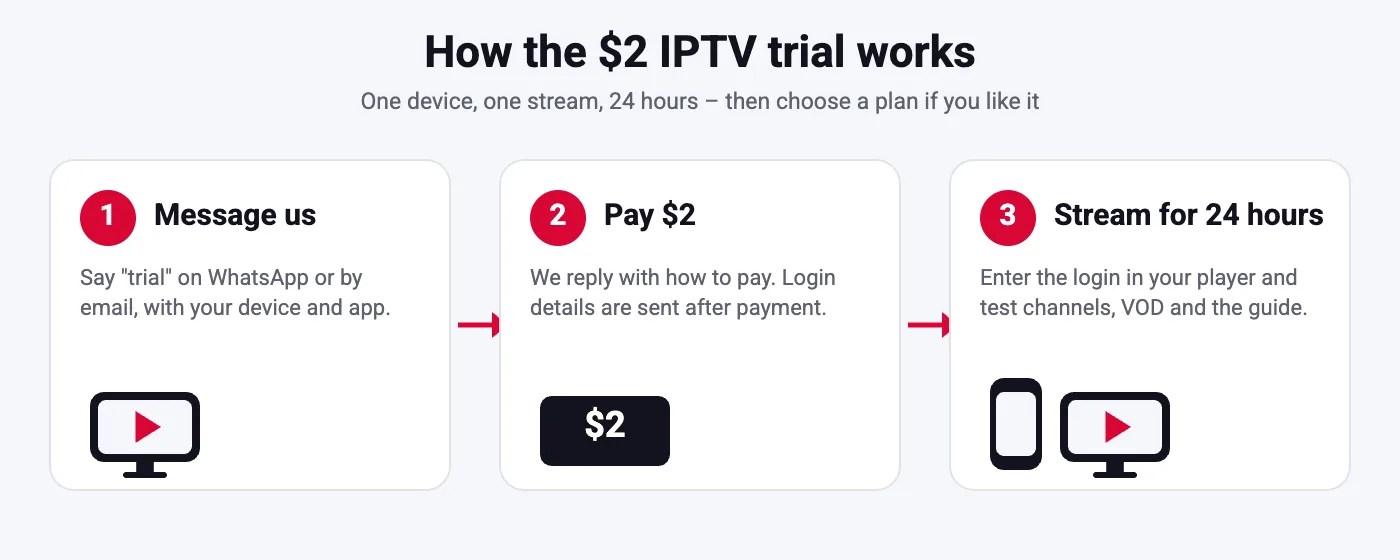
Both paths lead to the same service. The question is how sure you already are.
| Choose the trial if | Choose a full plan if |
|---|---|
| You have never used IPTV before | You already know how IPTV apps work |
| You are unsure about your Wi-Fi in some rooms | Your TV is on Ethernet or strong 5 GHz Wi-Fi |
| You want to test during a live game | A friend or family member already uses us |
The trial costs $2 and is not free. Eligible full plans are covered by our 3-day refund policy, so you have a safety net either way.
Why Subscribe With SmartVPro
There are many places to buy internet TV. These are the reasons people tell us they chose to IPTV subscribe with SmartVPro rather than with a random seller.
A real website and clear terms
Published prices, a refund policy, terms and a DMCA page. You know who you are buying from before you pay.
Payment with buyer protection
PayPal, Venmo, Amazon Pay and Google Pay instead of gift cards or crypto-only payments.
Help with the setup itself
Support does not stop at the receipt. We help you install the app and get the first channel playing.
Stable during big events
Servers balanced for peak hours, so Sunday afternoons and fight nights keep playing.
We also serve viewers outside the USA. Canadian households can read our IPTV Canada page, and European viewers can visit IPTV UK, IPTV Germany, IPTV France or IPTV Netherlands. Comparing services first? See our pages on choosing an IPTV provider and on your IPTV options.
Whatever you decide, take your time. A good service will still be there after a trial and a question or two, and the right plan is the one that fits how your household actually watches TV.
How to Subscribe to IPTV Safely
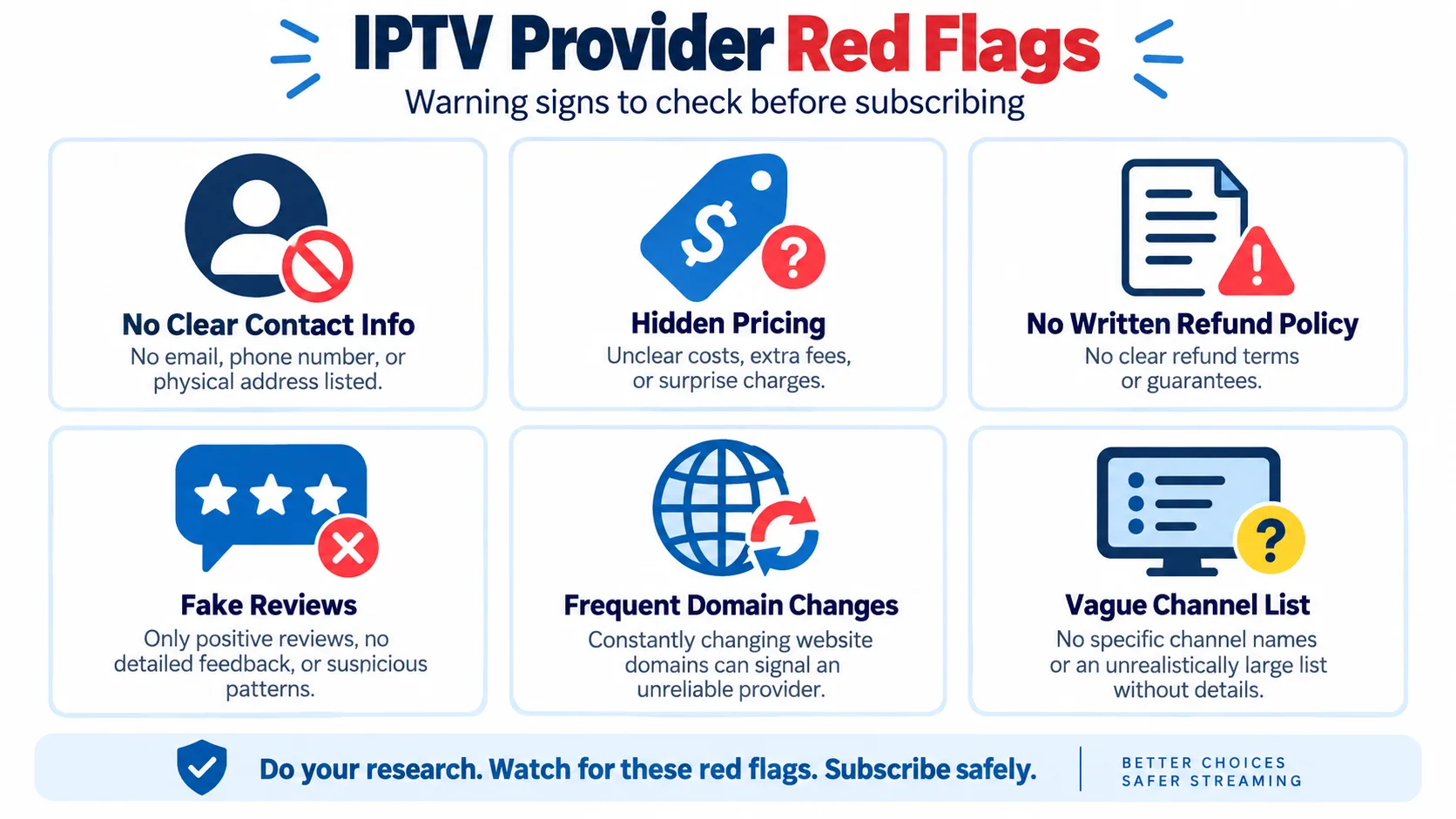
Whether you choose us or another service, a few rules protect you when you subscribe to IPTV.
- Pay with buyer protection. PayPal and card-backed wallets let you dispute a charge if something goes wrong.
- Avoid lifetime deals. Servers cost money every month; one-time lifetime offers rarely last.
- Read the refund policy first. A real business publishes its terms before you pay.
- Test support before buying. Send a question and see how fast and how clearly they reply.
- Start short. A trial or one month tells you more than any review.
For more detail, read our guide on how to choose an IPTV provider, compare direct IPTV suppliers and resellers, or see the background on Wikipedia.
First-Day Problems and Quick Fixes
Most first-day issues after an IPTV subscribe order come from a typo in the login or a weak Wi-Fi signal. Try these fixes before contacting support.
- Login rejected: copy and paste the username and password instead of typing them; check the server URL includes the port.
- Channels load slowly: restart the app and the device, then test your speed on the TV.
- Guide is empty: refresh the EPG in the app settings and set the correct time zone.
- Buffering on one TV only: move the router closer or plug in an Ethernet cable.
Still stuck? Send support your device, app and a short description. We usually solve it in a few minutes. Read what other subscribers say in our customer reviews.
IPTV Subscribe FAQ
How do I subscribe to IPTV with SmartVPro?
Choose a plan on this IPTV subscribe page, pay with PayPal, Venmo, Amazon Pay or Google Pay, and receive your login by email within minutes. Then add it to a player app on your device.
How long does activation take after I subscribe?
Activation is instant after payment confirmation. Your login usually arrives within a few minutes; check spam if you do not see it.
What is the cheapest way to subscribe to IPTV?
The 12-month plan on one connection at $64.99, about $5.42 per month. The cheapest way to try is the $2 trial for 24 hours.
Can I subscribe without a credit card?
Yes. You can pay with PayPal, Venmo, Amazon Pay or Google Pay, using any funding source those wallets accept.
Do I need to sign a contract?
No. Every IPTV subscribe option is a one-time payment for a fixed period, with no automatic long-term contract.
Can I subscribe for two TVs?
Yes. Choose a 2-connection plan so two screens can stream at the same time. For more screens, ask support for a custom package.
What happens when my subscription ends?
Access stops at the end of the period unless you renew. Renewing keeps the same login, so your apps stay set up.
Can I get a refund after I subscribe?
Eligible orders are covered by our 3-day refund policy. Read the policy page for the full conditions.
Which devices can I use after subscribing?
Fire TV, Android TV, Samsung and LG smart TVs, Apple TV, iPhone, iPad, Android phones, Windows, Mac, MAG and Formuler boxes, and more.
Is there a free trial before I subscribe?
No, but the 24-hour trial costs only $2 on one device and includes the full service.
Ready to IPTV subscribe?
Pick a plan, pay securely and receive your login by email within minutes. From $14.99 per month, no contract.