
best TiviMate Player Installation Guide – Step-by-Step
TiviMate Player Installation Guide Intro:
TiviMate is one of the most popular IPTV apps for Android TV, thanks to its modern interface, ease of use, and stable performance. In this guide, we explain step by step how to install TiviMate and add IPTV via Premium USA IPTV.
Why choose TiviMate Player?
- Modern design, ideal for large screens.
- Support for multiple playlists
- Automatische EPG (TV-gids) updates
- Favorites and catch-up features
- Ability to record programs.
- Subtitles are supported
Installing and setting up TiviMate Player
Step 1: Install the app
Download and install TiviMate Player from the Google Play Store on your Android TV.
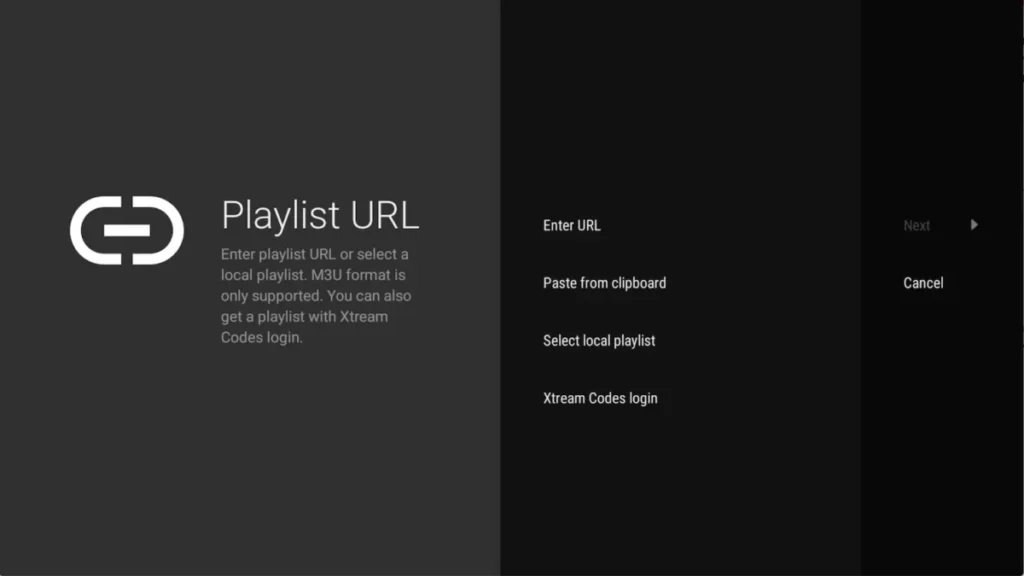
Step 2: Add a playlist
Open the app en selecteer ‘ADD PLAYLIST’. You can choose from:
- M3U link (local file).
- Remote playlist (enter URL).
- Xtream Codes Login (recommended method).
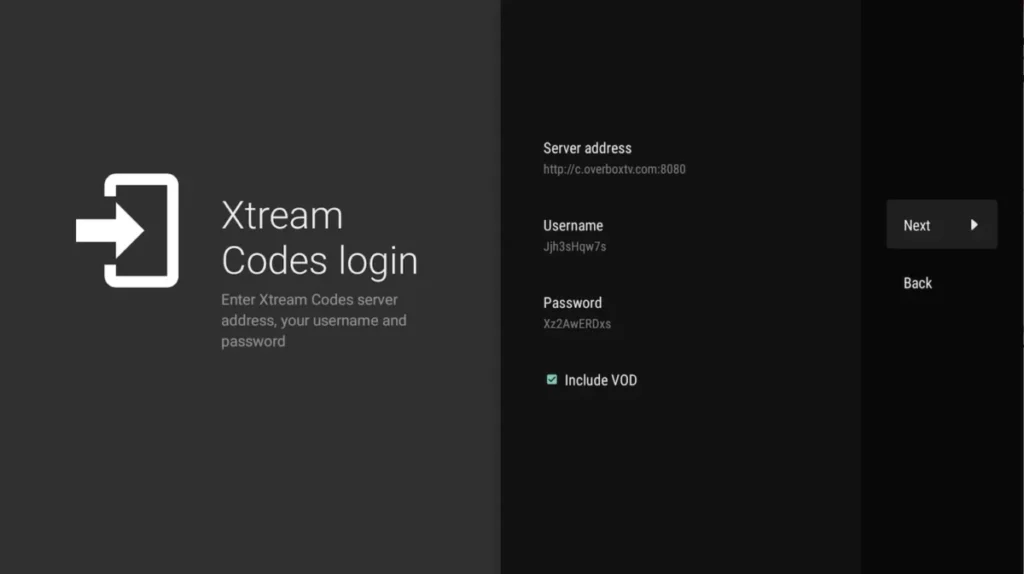
Step 3: Use Xtream Codes login
Select Xtream Codes Login and enter the details you received from your IPTV provider.
For Premium USA IPTV, you will receive this immediately after ordering.
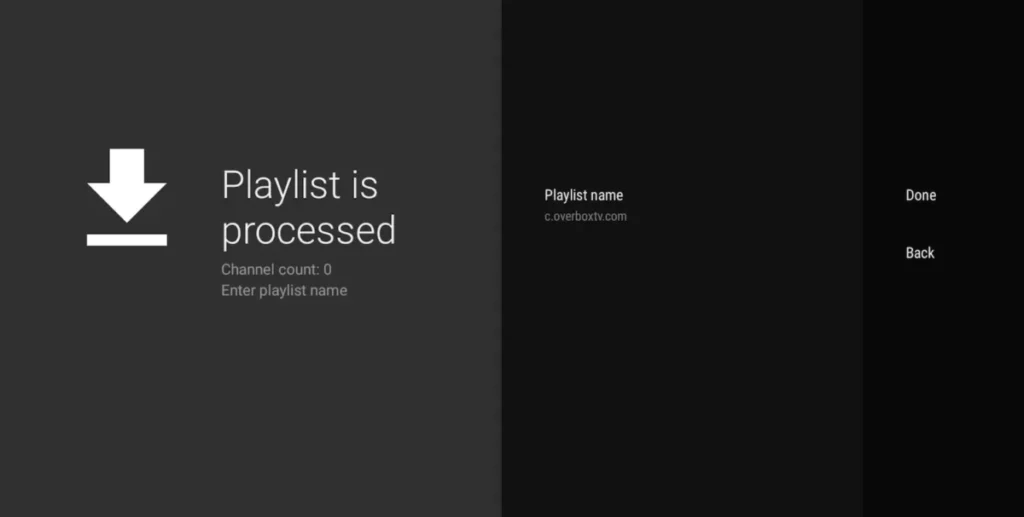
Tips for optimal use of TiviMate
- Use a stable internet connection for smooth streaming.
- Add your favorite channels for quick access.
- Check regularly to see if an update for the app is available.
Premium USA IPTV – Best choice for TiviMate
Our IPTV subscriptions work seamlessly with TiviMate Player. Whether you choose to try it out for one month or sign up for a 12-month subscription right away, you will always receive:
✅ Over 42,000 channels and VOD
✅ HD & 4K quality
✅ 24/7 stable servers
✅ Gratis 24 uur IPTV test
👉 View our packages starting at just $14.99: View subscriptions
🎉 Special offer for TiviMate users!
Troubleshooting TiviMate
If TiviMate installs but channels will not start, work through our IPTV not working checklist. If streams start but stall, try these buffering fixes. To compare TiviMate with players for other devices, see the IPTV app compatibility table.