
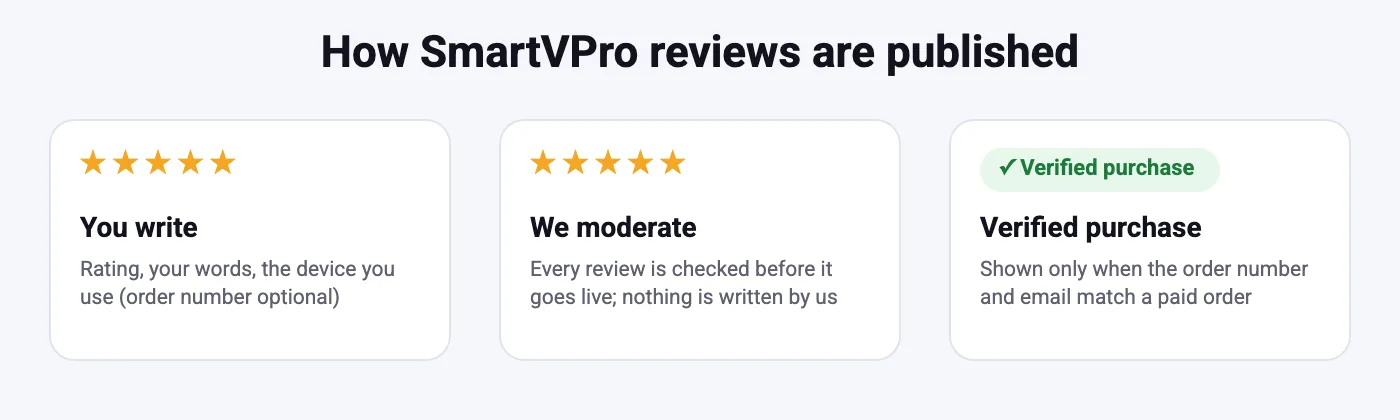
Honest by design
Every review goes through moderation before it appears. Low ratings are published too, as long as the review is about a real experience with the service.
Say what you stream on
Reviews that mention the plan, device and app (for example “Fire TV Stick 4K + TiviMate”) help other viewers pick a setup that works.
Verified purchase
Add your order number from My Account or your order email and we match it to a paid order before showing the label.
Table of Contents
SmartVPro reviews from customers
No approved customer reviews have been published on this page yet. Reviews appear here after moderation.
Write a review
Reviews are checked before they are published. Add your order number if you want the Verified purchase label – it is only shown when the order number and email match a paid order.
How to read SmartVPro reviews
IPTV works differently in every home, so the most useful SmartVPro reviews are the ones that say what the customer streams on. A review from someone using a Fire TV Stick on Wi-Fi tells you something different from one written on a wired Android TV box. When you compare reviews, look for the plan (1, 2 or 3 connections), the device and app, the kind of content they watch most (live sports is the hardest test), and how long they have used the service. A one-week review and a six-month review are both useful, but they answer different questions.
Comments about buffering deserve a second look. Most buffering reports trace back to the home network rather than the service, which is why the IPTV buffering guide starts with a speed test on the streaming device. A review that mentions “buffers on Wi-Fi, fine on Ethernet” is describing a Wi-Fi problem, not a SmartVPro problem. Reviews about support are worth weighing too: support is available 24/7 on WhatsApp and email, and the fastest answers come when the customer includes the order number and the exact error.
One thing SmartVPro reviews cannot tell you is how the service will behave on your own connection. Two customers in the same city can have very different experiences because one streams over 5 GHz Wi-Fi next to the router and the other over a 2.4 GHz connection two rooms away. That is why we recommend reading the reviews for patterns (which devices and apps come up again and again, how support responded, whether live sports held up) and then running the $2 24-hour trial on one device as your own test. If you later write a review, say what you tested and on what; it is the most useful thing you can add.
How we moderate SmartVPro reviews
Every review is held for moderation and read by a person before it is published. We publish negative reviews as well as positive ones; the only reviews we remove are spam, reviews that are not about SmartVPro, and reviews containing personal data or abuse. We never pay for reviews, never write them ourselves, and never edit a customer’s rating. The FTC rule banning fake reviews and testimonials sets the standard we follow: real customers, real experiences, clearly labeled.
The Verified purchase label is automatic, not editorial: the system checks whether the order number and email on the review match a paid order in our store. Reviews without an order number are still published after moderation; they simply do not carry the label. Want to add your own? Scroll up to the form, or start with the $2 24-hour IPTV trial and come back after you have tested the service on your own device.
Thinking about trying SmartVPro?
Compare the plans (1, 2 or 3 connections), start with the $2 24-hour trial on one device, or read the device setup guides. Support is available 24/7.