
Latino IPTV USA (2026): Spanish Channels, Prices & Easy Setup
Quick answer: To get Latino IPTV in the USA in 2026, pick a provider whose channel list covers the countries your family follows, test it for a day before paying for a long term, and install its player on a Firestick, Smart TV or phone. SmartVPro offers hundreds of Spanish-language channels (news, sports, telenovelas and entertainment) from $14.99 a month, or about $5.42 a month on the 12-month plan, with a $2 24-hour trial. If you need guaranteed, fully licensed access to specific networks, official services such as ViX, Peacock, Sling Latino and Fubo Latino are the safer route.
This guide is written for Hispanic and Latino households in the United States, and for anyone who simply prefers TV en español. It compares the official Spanish-language streaming options with their verified 2026 prices, explains what a good latino IPTV subscription should include, shows how to test one cheaply, and walks through setup on the devices most US homes already own. Where we describe SmartVPro, that is our own offer and we say so.
Table of Contents
First, two definitions. IPTV (Internet Protocol Television) means live TV channels and on-demand video delivered over your internet connection instead of a cable or satellite line. A latino IPTV service is simply an IPTV service whose lineup is built around Spanish-language and Latin American channels: networks from Mexico, Colombia, Puerto Rico, the Dominican Republic, Cuba, Central America, Spain and the US Hispanic market. If you are new to the technology, the setup and checklist sections below cover everything you need.
How much does SmartVPro latino IPTV cost in 2026?
SmartVPro sells one-off terms: you pay once for 1, 3, 6 or 12 months and nothing renews automatically. You choose 1 connection (one screen streaming at a time) or 2 connections (two screens at once). The table below shows every plan in US dollars, with the effective monthly cost we calculated by dividing the price by the number of months.
| Term | 1 connection | Per month (1 conn.) | 2 connections | Per month (2 conn.) |
|---|---|---|---|---|
| 1 month | $14.99 | $14.99 | $25.99 | $25.99 |
| 3 months | $29.99 | $10.00 | $46.99 | $15.66 |
| 6 months | $39.99 | $6.67 | $69.99 | $11.67 |
| 12 months | $64.99 | $5.42 | $117.99 | $9.83 |
| 24-hour trial | $2 | — | — | — |
Our view: a single viewer or a couple who watch on one TV are well served by 1 connection. A family where abuela watches telenovelas in the living room while someone else follows a Liga MX match in the bedroom needs 2 connections, because a second simultaneous stream on a 1-connection plan will be blocked. Our guide to running IPTV on several screens at home explains how connections are counted.
If you already know what you want, you can compare and buy a SmartVPro plan here. If you would rather check the Spanish lineup on your own TV first, start with the $2 24-hour trial and decide after you have watched an evening of novelas and a live game. Both routes are explained step by step later in this guide.
Who watches Spanish-language TV in the United States?
The audience for latino IPTV and Spanish-language TV is large and still growing. According to the US Census Bureau’s 2026 Hispanic Heritage Month release, the Hispanic population reached 70.1 million on July 1, 2025, about 21% of everyone living in the country and the largest racial or ethnic minority group. The same release lists sixteen states with at least 1 million Hispanic residents, from California, Texas and Florida to Georgia, North Carolina, Pennsylvania and Washington.
Language matters as much as heritage. Census Bureau American Community Survey (ACS) data summarized by USAFacts show that about 44.9 million people age 5 and older spoke Spanish at home in 2024, roughly 1 in 7 people in that age group. Many of those households are bilingual: parents may want news from Mexico City or Bogotá, while teenagers switch between English and Spanish depending on the show.
The Census Bureau also reports a median age of 31.1 for the Hispanic population in 2025, younger than the country as a whole. In practice that means a lot of Latino homes include young children, which is why Spanish-language cartoons and kids channels show up on almost every family wish list we hear about from customers.
What Latino households look for in a TV service
Every family is different, but the requests we see most often fall into a few groups. Each one shapes how you should judge a latino IPTV lineup or an official streaming bundle:
- Home-country channels: news and variety from Mexico, Colombia, Puerto Rico, the Dominican Republic, Cuba, El Salvador, Guatemala, Honduras, Venezuela, Peru, Argentina and Spain.
- Soccer and boxing: Liga MX, LaLiga, the Mexican national team, Copa Libertadores and big boxing cards, often on pay-per-view (PPV), where you pay per event.
- Telenovelas and entertainment: evening novelas, reality shows, musical variety and classic movies from the golden age of Mexican cinema.
- Kids in Spanish: cartoons and educational shows that help children keep their Spanish.
- A Spanish guide: program titles and descriptions in Spanish, plus catch-up so you can rewatch last night’s episode.
What are the legal Spanish-language streaming options in 2026, and what do they cost?
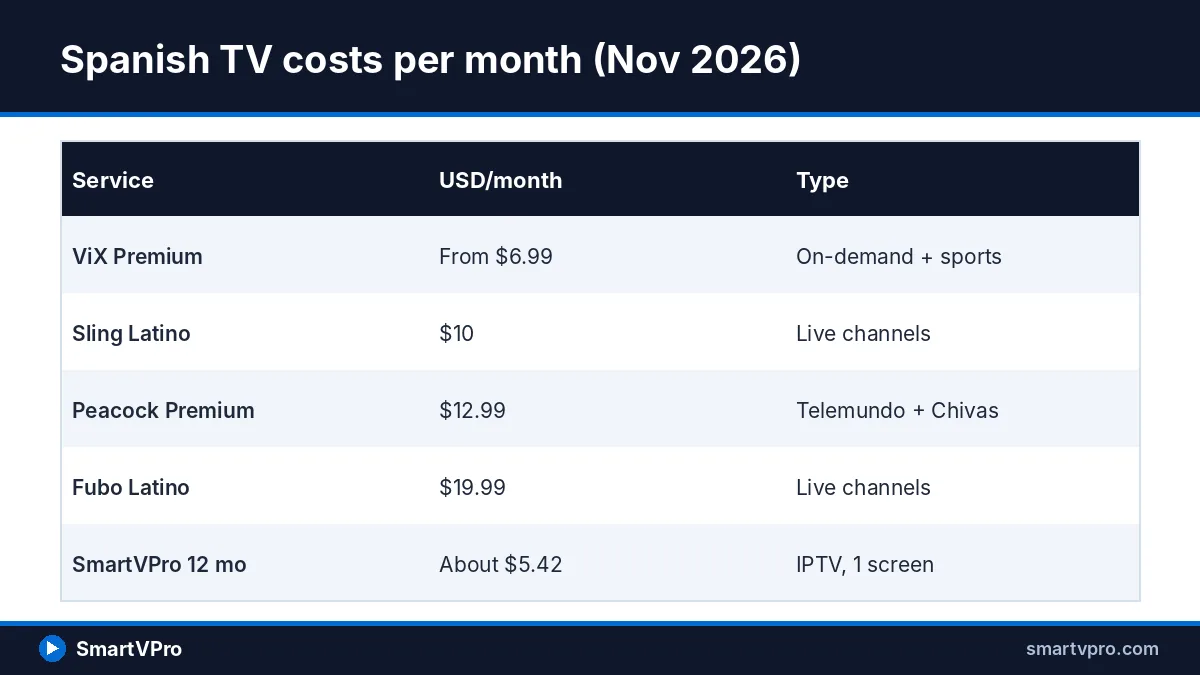
Before choosing any latino IPTV service, it is worth knowing exactly what the official, licensed options cost. Prices below come from the providers’ own pages or from 2026 pricing reports we checked in October and November 2026. Taxes, regional sports fees and promotions can change what you actually pay, so confirm on each provider’s site before you subscribe.
| Service | Price (USD/month) | What you get for Spanish TV | Contract |
|---|---|---|---|
| ViX Premium (TelevisaUnivision) | From $6.99 | Univision and Televisa novelas, series, some Liga MX clubs, TUDN content | Monthly |
| Peacock Premium / Premium Plus | $12.99 / $19.99 | Telemundo shows and novelas; Chivas, Tigres and Juárez home matches on Premium | Monthly or annual |
| Sling Latino or Sling México | $10 each | 21 or 11 Spanish channels; half price when added to another Sling package | Monthly |
| Fubo Latino | $19.99 | Spanish-language lineup; Telemundo and Universo added June 2026 | Monthly (new buyers) |
| YouTube TV Spanish Plan | $34.99 | 30+ Spanish channels incl. Univision, UniMás, Galavisión, TUDN | Monthly |
| YouTube TV + Spanish Plus | $82.99 + $14.99 | English base plan plus ESPN Deportes, Fox Deportes, beIN Sports en Español, CNN en Español and more | Monthly |
| DIRECTV MiEspañol | $37.99 (+ tax) | 60+ Spanish channels; promo $24.99 for the first 2 months | Monthly |
| DIRECTV Óptimo Más | $89.99 | 110+ English and Spanish channels; $64.99 first month with your own device | Monthly |
A few details stand out. ViX’s help center lists ViX Premium at $6.99 a month in the US, though it notes that some content may still carry ads. Peacock raised prices on August 18, 2026, to $12.99 for Premium and $19.99 for Premium Plus, as Droid Life reported. Fubo’s support page confirms Fubo Latino now costs $19.99 a month and added Telemundo and Universo on June 10, 2026.
For live channel bundles, CableTV.com’s October 2026 Sling TV review lists Sling Latino (21 channels) and Sling México (11 channels) at $10 a month each. CableTV.com’s YouTube TV channel guide puts the standalone Spanish Plan at $34.99 and the Spanish Plus add-on at $14.99 on top of the $82.99 base plan. DIRECTV’s Spanish streaming page shows MiEspañol at $37.99 a month and Óptimo Más at $89.99 after the first month.
Do not forget the free option. Univision, Telemundo, UniMás and other Spanish-language broadcast stations are transmitted over the air (OTA) in many metro areas, so an indoor antenna can pick them up at no monthly cost. Reception depends on your location and distance from the transmitters, so check what is available at your address before buying an antenna.
Where Liga MX, LaLiga and other soccer air in the US
Soccer is the biggest reason Latino households pay for TV, and it is also the most fragmented. Liga MX has no single league-wide US contract: each club sells its own US home-match rights, so the channel you need depends on who is playing at home. CableTV.com’s 2026 Liga MX guide summarizes the current split.
| Broadcaster group | Home matches of | Where to watch officially |
|---|---|---|
| TelevisaUnivision | América, Atlas, Monterrey, Querétaro | Univision, UniMás, TUDN, ViX |
| TelevisaUnivision | Cruz Azul, Pumas, Toluca, León, Pachuca, Santos, Tijuana and others | TUDN, UniMás, ViX |
| Telemundo Deportes | Chivas | Telemundo, Universo, Peacock Premium |
| Telemundo Deportes | Tigres, FC Juárez | Telemundo, Universo, Peacock, Estrella TV |
| FOX Sports | Necaxa | Fox Deportes |
LaLiga sits on a different platform. ESPN acquired LaLiga’s US rights in a long-term deal announced in 2021, as World Soccer Talk reported at the time, so Spanish-league matches are generally found on ESPN’s platforms, including ESPN Deportes. Check ESPN’s schedule for the current season, because streaming packaging has changed several times since that deal was signed.
What it costs to stack official services: a worked example
Here is a realistic case. A Mexican-American family in Houston wants Chivas and América matches, Telemundo and Univision novelas, and Spanish news. Officially, that means at least Peacock Premium ($12.99) for Chivas and Telemundo, ViX Premium ($6.99) for América and Univision content, and Sling Latino ($10) for live Spanish news channels: about $29.98 a month, or roughly $360 a year before taxes. Add LaLiga through an ESPN plan and the total climbs further.
By comparison, SmartVPro’s 12-month, 1-connection plan costs $64.99 for the year. That gap is real, but it is not an apples-to-apples comparison. The official services publish who licenses what and guarantee their own lineups. An IPTV service, ours included, cannot promise that any particular match or network will be in the lineup on a given day, so the right choice depends on how much that certainty matters to you.
What should a good latino IPTV subscription include?
Whether you choose SmartVPro or another provider, use the criteria below to judge any latino IPTV service. A long channel count means little if the channels you actually watch are missing, mislabeled or unstable at 9 p.m. on a Saturday.
Channels organized by country
Good providers group Spanish channels by country of origin so that a Dominican viewer can jump straight to Dominican news, and a Salvadoran family can find Central American channels without scrolling through hundreds of entries. Look for clear categories such as México, Colombia, Puerto Rico, República Dominicana, Cuba, Centroamérica, Sudamérica and España, plus a US Hispanic group for national Spanish-language networks.
Sports: Liga MX, LaLiga, Copa and boxing
Sports channels should be listed in a dedicated Spanish deportes section, separate from English sports. Ask whether big boxing nights and other PPV events appear as event channels, and whether matches are offered in 720p or 1080p. A latino IPTV lineup that carries a match only in English commentary is a weaker fit for a Spanish-speaking household, so confirm the narration language during your trial.
Telenovelas and entertainment
Novela fans need two things: the live channels where new episodes air, and catch-up so a missed episode can be watched the next morning. Video on demand (VOD), meaning movies and series you start whenever you like, is useful for binge-watching older novelas, but check that the titles have Spanish audio rather than subtitles over English dubs.
Kids content in Spanish
If you want children to grow up bilingual, look for Spanish-language cartoon and family channels and for VOD categories labeled infantil or familia. Parental controls in the player app, usually a PIN on adult categories, are worth testing before you hand the remote to a child.
A Spanish EPG and catch-up
The EPG (electronic program guide) is the on-screen grid that shows what is airing now and next. For Spanish channels, the guide should show titles in Spanish and match the correct time zone, since many feeds originate in Mexico City or Bogotá. Catch-up, sometimes called TV archive, lets you replay programs from the past few days on supported channels.
Stability and picture quality
Picture quality depends on both the source and your connection. SmartVPro advertises streams up to 4K where the source supports it, but most Spanish-language channels are broadcast in HD, so expect 720p or 1080p on many of them. For a stable HD stream we recommend at least 25 Mbps of real download speed, and a wired Ethernet connection or a strong 5 GHz Wi-Fi signal for the TV.
How does SmartVPro serve Spanish-speaking households?
This section describes our own latino IPTV service, so treat it as the offer it is. SmartVPro says its lineup includes hundreds of Spanish-language channels covering news, sports, telenovelas and entertainment, within a total of 42,000+ live channels and 125,000+ VOD titles. The service also advertises 500+ dedicated sports channels, PPV channels, catch-up and an EPG on supported channels.
We do not list specific Spanish networks as guaranteed in this article, because lineups in the IPTV market change. The accurate way to see what is carried today is to open the full SmartVPro channel list and search for the countries and networks your family cares about. If a channel is essential to you, confirm it there and then confirm it again during the trial.
Other points that matter to Latino families: support is available 24/7 over WhatsApp and email, which many Spanish speakers already use daily, and the service works on Fire TV, Android TV, Smart TVs, phones, tablets and computers. SmartVPro states 99.9% server uptime; that is the company’s own claim, and your experience will also depend on your internet provider and home Wi-Fi.
Which SmartVPro plan fits which household?
- Single viewer or couple, one TV: 12 months on 1 connection ($64.99, about $5.42 a month) gives the lowest monthly cost.
- Family with two TVs used at the same time: 12 months on 2 connections ($117.99, about $9.83 a month).
- Following one tournament or season: 3 or 6 months on 1 connection ($29.99 or $39.99).
- Not sure yet: the $2 trial first, then 1 month ($14.99) if you want a longer test.
Ready to choose? You can see every SmartVPro plan and checkout option on our main subscription page. There is no automatic renewal, so when your term ends you decide whether to continue.
How do you test Spanish channels with the $2 trial?
A 24-hour trial is the cheapest way to find out whether a latino IPTV service really suits your household. SmartVPro’s trial costs $2 and is set up through WhatsApp or email. To make the most of the day, plan it around the programs you care about, including at least one live sports event and one evening of novelas.
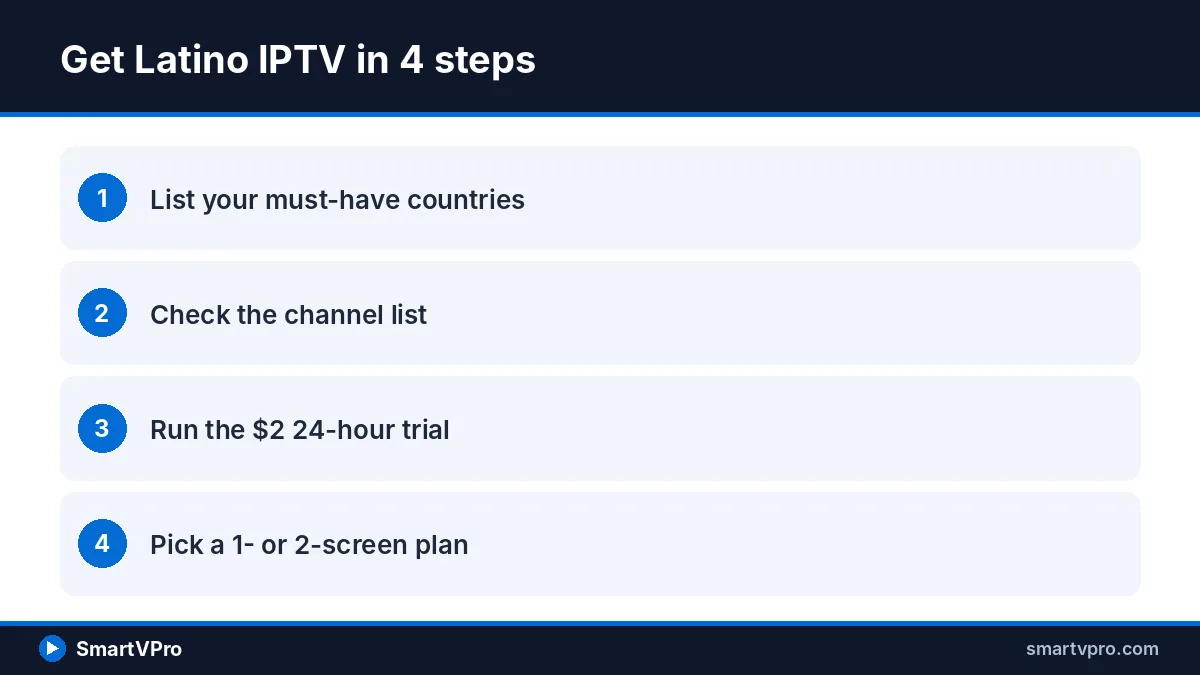
- Message SmartVPro support on WhatsApp or by email and ask for the $2 24-hour trial. Mention which device you will use so support can send the right setup instructions.
- Pay the $2 with one of the accepted methods, then wait for your login details (usually an M3U link or Xtream Codes username and password).
- Install the recommended player app on your main TV device and sign in with those details.
- Open the Spanish or Latino categories and check the channels from your home country first.
- Watch a live Liga MX, LaLiga or boxing event during prime time to test stability under load.
- Open the EPG and catch-up on a novela channel and replay an earlier program.
- Test the same login on a phone, and note any channel that fails or buffers so you can report it.
Two terms from step 2 deserve a definition. An M3U link is a playlist URL that tells your player app where each channel stream lives. Xtream Codes is a login format (server address, username and password) that many player apps accept and that usually loads the EPG and VOD categories automatically.
Latino IPTV trial checklist
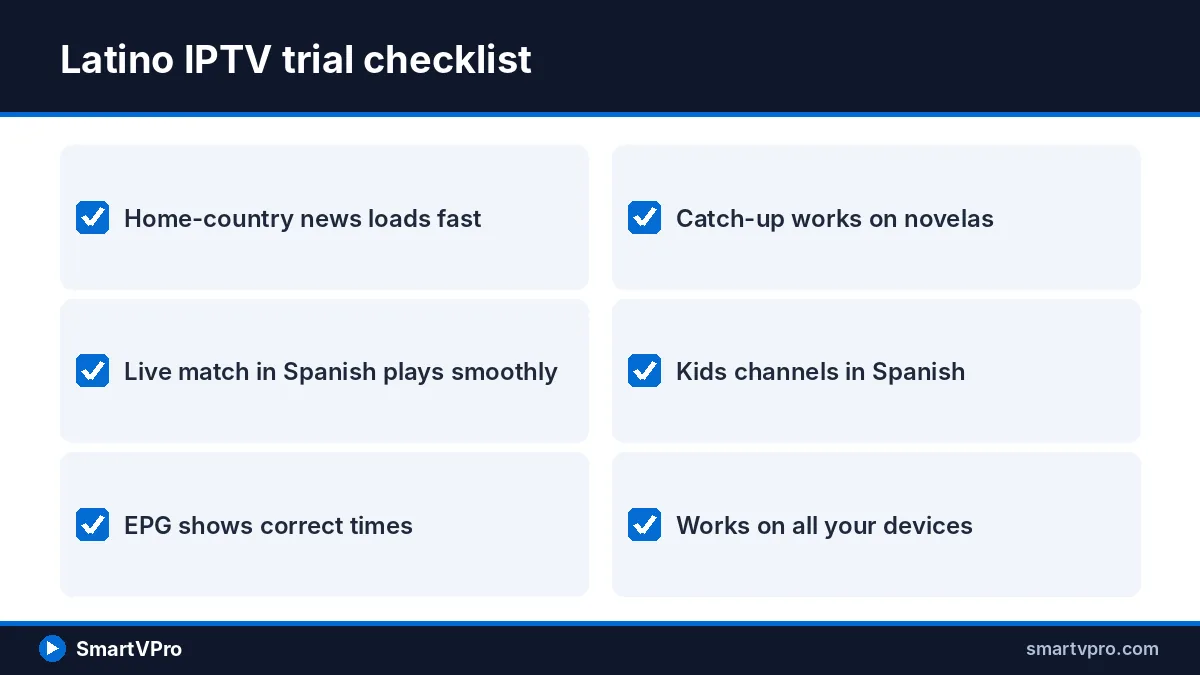
- ☐ My home-country news channels load within a few seconds.
- ☐ At least one live soccer match plays smoothly in Spanish commentary.
- ☐ The EPG shows correct titles and times for Spanish channels.
- ☐ Catch-up works on the novela channels I watch.
- ☐ Kids channels or VOD in Spanish are available.
- ☐ The player app works on every device we use at home.
- ☐ Support answered my questions in a reasonable time.
If most boxes are ticked, a longer term is likely to work for you. If key channels failed, raise it with support before buying, and read the SmartVPro refund policy: eligible purchases are covered by a 3-day refund policy, so read the conditions before you pay for a long term.
How do you set up latino IPTV on Firestick, Smart TV, Roku and phones?
Latino IPTV setup is the same idea on every device: install a player app, then sign in with the M3U link or Xtream Codes details from your welcome message. Menus vary by device model and software version, so treat the steps below as a guide, and use our step-by-step player installation tutorial for screenshots.
Amazon Fire TV Stick
- From the Fire TV home screen, search for and install the Downloader app from the Amazon Appstore.
- Go to Settings, then My Fire TV, then Developer Options, and allow Downloader to install unknown apps. On newer Fire OS versions, Developer Options appears only after you open About and click the device name seven times.
- Open Downloader and enter the player download address that SmartVPro support sends you.
- Install the player, open it and choose the Xtream Codes or M3U login option.
- Enter your details, wait for channels and the EPG to load, then mark your favorite Spanish channels.
The Firestick is the most common device among our customers, so we keep a separate 2026 Firestick IPTV guide with model-specific notes for the Fire TV Stick 4K and Fire TV Cube.
Samsung, LG and Android/Google TV Smart TVs
On Samsung (Tizen) and LG (webOS) TVs, open the TV’s own app store and install an IPTV player that supports M3U or Xtream Codes. Some of these players ask you to activate the TV on the player’s website using the device ID or MAC address shown on screen, then paste your playlist there. On Android TV and Google TV sets, such as many Sony, TCL and Hisense models, you can usually install a player straight from Google Play and sign in on the TV.
What about Roku?
Roku is popular in Latino homes, but it is the hardest platform for IPTV. Roku’s channel store does not generally offer full-featured IPTV players, and everyday users cannot install apps from outside the store. Our view is that the practical options are to screen-mirror from an Android phone or computer to the Roku, which many models support, or to add an inexpensive Fire TV Stick or Google TV device to the same HDMI port for a better experience.
Phones and tablets
On Android, install a player from Google Play; on iPhone and iPad, install one from the App Store, then sign in the same way. A phone is handy for latino IPTV on the go, from checking a score at work to watching a novela on the bus, but remember that each phone streaming at the same time as your TV uses one connection.
How do payment and support work for SmartVPro latino IPTV?
For latino IPTV plans, SmartVPro accepts Venmo, PayPal, Amazon Pay and Google Pay, which are familiar to most US households and avoid typing card details into an unfamiliar site. Each term is a single payment with no automatic renewal, so there is no monthly charge to forget about and no cancellation call to make at the end.
Support runs 24/7 over WhatsApp and email. In practice that covers the most common questions: sending login details, recommending a player for your TV, adding a second connection, or checking a channel that stopped working. When you contact support about a channel problem, include the channel name, the device and the time it failed, because that speeds up the fix.
What if Spanish channels buffer or freeze?
Buffering (the picture pausing while the player reloads) is the complaint we hear most often from latino IPTV viewers, and it usually has a local cause. Prime-time soccer is the toughest test, because many viewers stream the same match at once. Try these fixes in order before assuming the service is at fault:
- Run a speed test on the TV device itself, not on your phone; aim for at least 25 Mbps for HD.
- Move the router closer, switch the TV to 5 GHz Wi-Fi, or use an Ethernet cable.
- Restart the router and the streaming device, then clear the player app’s cache.
- Switch the player’s stream format or decoder setting (for example, from HLS to TS) if it offers one.
- Try a different feed of the same channel if the list includes backups labeled HD and SD.
If problems persist, our guide to fixing IPTV buffering covers router settings and player options in more detail. Some internet providers manage video traffic at busy times. A VPN (virtual private network) can sometimes help with that, though encryption also costs some speed, so test with and without one.
Is latino IPTV legal? Legal and safety notes
IPTV is a delivery technology, and the technology itself is not illegal: the licensed services in the table above all deliver TV over the internet. Whether a particular IPTV service is lawful depends on whether it holds the rights to the content it distributes. Under Section 106 of the US Copyright Act (17 U.S.C.), copyright owners hold the exclusive right to perform their works publicly, which includes transmitting them to the public.
This article does not claim that any IPTV provider, including SmartVPro, holds licenses for every channel in its lineup. If verified licensing matters to you, choose the official services above, whose rights are public. Our separate explainer, is IPTV legal in the USA?, walks through the law in more depth, and it separates documented facts from opinion. Whatever you choose, these safety habits apply:
- Pay with protected methods such as PayPal or Amazon Pay rather than gift cards or crypto.
- Install player apps only from official app stores or a link sent directly by your provider’s support.
- Never share your login publicly; shared credentials are a common cause of blocked accounts.
- Keep your TV device and player app updated to receive security fixes.
Resumen en español: IPTV latino en Estados Unidos
Si busca IPTV en español en Estados Unidos, primero haga una lista de lo que su familia realmente ve: noticias de su país, Liga MX o LaLiga, boxeo, telenovelas y programas infantiles. Después compare. Los servicios oficiales tienen precios publicados: ViX Premium desde $6.99 al mes, Peacock Premium $12.99, Sling Latino $10, Fubo Latino $19.99 y el plan en español de YouTube TV $34.99.
SmartVPro es nuestro propio servicio. Incluye cientos de canales en español de noticias, deportes, telenovelas y entretenimiento, con planes desde $14.99 por un mes o $64.99 por doce meses (unos $5.42 al mes). Puede probarlo 24 horas por $2, solicitándolo por WhatsApp o correo electrónico. Aceptamos Venmo, PayPal, Amazon Pay y Google Pay, y el soporte funciona las 24 horas.
Antes de pagar un plan largo, revise la lista de canales, pruebe un partido en vivo y una novela durante la prueba, y lea la política de reembolso de 3 días. Recuerde que la legalidad de cualquier servicio de IPTV depende de las licencias del contenido; si necesita acceso garantizado y con licencia a una cadena concreta, elija un servicio oficial.
Ready to try latino IPTV at home?
If the comparison above points you toward latino IPTV, the low-risk path is simple: check the channel list for your countries, run the $2 trial on a weekend with a live match, and then pick the term that matches how long you plan to watch. When you are ready, choose your SmartVPro plan and pay with Venmo, PayPal, Amazon Pay or Google Pay. If the official services fit better, that is a perfectly good outcome too.
More buyer guides: for live games, see our IPTV for sports guide, and to compare costs with YouTube TV, Sling and Fubo, read our cheapest live TV streaming comparison.
Frequently asked questions
What is latino IPTV?
Latino IPTV is an internet TV service built around Spanish-language and Latin American channels, such as news from Mexico, Colombia, Puerto Rico and the Dominican Republic, soccer, boxing, telenovelas and kids programs. You watch it through a player app on a Firestick, Smart TV, phone or computer, signing in with an M3U link or Xtream Codes details instead of using a cable box.
How much does latino IPTV cost in the USA?
Prices vary widely between providers. SmartVPro charges $14.99 for one month, $29.99 for three months, $39.99 for six months and $64.99 for twelve months on one connection, which works out to about $5.42 a month on the annual plan. Official Spanish streaming services range from $6.99 a month for ViX Premium to $37.99 for DIRECTV MiEspañol.
Can I watch Liga MX with latino IPTV?
Many IPTV lineups include Spanish sports channels, but no IPTV service can guarantee every Liga MX match. Officially, Liga MX rights are split by club in the US: TelevisaUnivision carries teams such as América and Cruz Azul, Telemundo and Peacock carry Chivas, Tigres and Juárez, and Fox Deportes carries Necaxa. Check the channel list and test a match during a trial.
Does SmartVPro have Spanish channels from my country?
SmartVPro says it includes hundreds of Spanish-language channels covering news, sports, telenovelas and entertainment. Lineups change, so the reliable way to check for channels from Mexico, Colombia, Puerto Rico, Cuba, the Dominican Republic or Central America is to search the SmartVPro channel list and then confirm them during the $2 24-hour trial.
Does latino IPTV work on Roku?
Roku is the most limited device for IPTV, because its store does not generally offer full-featured IPTV players and regular users cannot install outside apps. You can screen-mirror from an Android phone or computer on many Roku models, but a Fire TV Stick or a Google TV device plugged into the same TV gives a smoother, more reliable experience.
Is latino IPTV legal in the United States?
IPTV as a technology is legal, and licensed services like ViX, Peacock, Sling and Fubo use it. Whether a specific IPTV provider is lawful depends on whether it has the rights to the channels it distributes, since US copyright law gives rights holders control over public transmission of their content. If guaranteed licensing matters to you, choose an official service.
How do I pay for a SmartVPro subscription?
SmartVPro accepts Venmo, PayPal, Amazon Pay and Google Pay. Each plan is a single payment for the full term, with no automatic renewal, so you are not billed again unless you choose to buy another term. The $2 24-hour trial is arranged through WhatsApp or email, and support can help with payment questions at any time.
Sources
- National Hispanic Heritage Month: 2026 — US Census Bureau (accessed November 2026)
- How many people speak Spanish at home in the US? — USAFacts (Census ACS data) (accessed November 2026)
- How much does ViX Premium cost? — ViX Help Center (accessed November 2026)
- Peacock raises prices — Droid Life, August 18, 2026 (accessed November 2026)
- Fubo Latino plan overview and price update — Fubo Support (accessed November 2026)
- Sling TV review and pricing, October 2026 — CableTV.com (accessed November 2026)
- YouTube TV Spanish Plus add-on channels — CableTV.com (accessed November 2026)
- DIRECTV Spanish streaming packages — DIRECTV (accessed November 2026)
- How to watch Liga MX in the US — CableTV.com (accessed November 2026)
- Disney confirms ESPN acquisition of LaLiga rights — World Soccer Talk, 2021 (accessed November 2026)
- 17 U.S.C. Chapter 1, Section 106 — US Government Publishing Office (govinfo) (accessed November 2026)