
Best IPTV for Sports in the USA (2026): NFL, NBA, UFC & PPV
Quick answer: IPTV for sports gives you one app with live sports channels, PPV event channels, an on-screen guide and catch-up for a flat fee, with SmartVPro’s plans running from $14.99 for one month to $64.99 for twelve months (about $5.42 a month). Buying every league legally in 2026 can cost roughly $2,000 a year once you stack YouTube TV, NFL Sunday Ticket, NBA League Pass, MLB.TV and the streamers. IPTV does not guarantee licensing, uptime on every channel, or blackout-free official feeds, so test it on a game day first.
This guide is for US fans close to a decision. We compare the official way to watch the NFL, NBA, NHL, MLB, college sports, UFC and boxing in 2026 with what IPTV for sports actually delivers, using verified USD prices, plus a game-day trial protocol, device settings and honest legal notes. Our own opinions are labeled.
Table of Contents
What does SmartVPro’s IPTV for sports cost in 2026?
SmartVPro sells one-off payments per term, with no monthly auto-billing contract to manage. The plan you pick depends on how many screens need to play at the same time. One connection means one stream at a time; two connections let two TVs or devices play different games simultaneously, which matters in a house where one person wants the early NFL window and another wants college football.
| Term | 1 connection (USD) | 2 connections (USD) | Effective monthly cost (1 connection) |
|---|---|---|---|
| 1 month | $14.99 | $25.99 | $14.99 |
| 3 months | $29.99 | $46.99 | About $10.00 |
| 6 months | $39.99 | $69.99 | About $6.67 |
| 12 months | $64.99 | $117.99 | About $5.42 |
According to SmartVPro’s own listing, the service carries 42,000+ live channels, 500+ dedicated sports channels, PPV event channels, 125,000+ on-demand titles, an electronic program guide (EPG) and catch-up, with quality up to 4K where the source supports it. Those are the provider’s claims, not independent test results. Because lineups change, check the full SmartVPro channel list for the specific networks and regional sports feeds you care about before paying.
If you already know what you need, you can compare and buy a SmartVPro plan here. If you would rather see how the service behaves during a real game first, start with the $2 24-hour trial, which is set up through WhatsApp or email. Payment options are Venmo, PayPal, Amazon Pay and Google Pay, and eligible purchases are covered by a 3-day refund policy.
How much does it cost to watch every sport legally in 2026?
US sports rights are split across broadcast networks, cable channels, league-owned services and big streamers. A fan who follows several leagues usually ends up paying for a live TV service plus three to six add-ons. The table below lists the main official options with 2026 prices we verified. Prices change often, so treat this as a snapshot as of November 2026.
| Official service | What it covers | 2026 price (USD) |
|---|---|---|
| YouTube TV | Local CBS, FOX, NBC, ABC plus cable sports networks; includes ESPN Unlimited access | $82.99/month |
| NFL Sunday Ticket (YouTube) | Out-of-market Sunday afternoon NFL games | $378/season for existing YouTube TV members; $480 via Primetime Channels; from $240 for eligible new members |
| ESPN Unlimited (standalone) | ESPN networks, ESPN+ content, ABC sports streams | $31.99/month or $319.99/year |
| NBA League Pass | Out-of-market NBA games (national and local games blacked out) | $16.99/month or $109.99/season; Premium $24.99/month or $159.99/season |
| MLB.TV | Out-of-market MLB games, sold through ESPN | $149.99/season or $29.99/month |
| Peacock Premium | NBC Sunday night NFL, NBA and other NBC sports | $13/month or $130/year |
| Paramount+ Essential | All numbered UFC events and Fight Nights, CBS sports streams | $8.99/month or $89.99/year |
| Netflix Standard with ads | Christmas Day and other select NFL games | $8.99/month |
Worked example: the “everything” fan
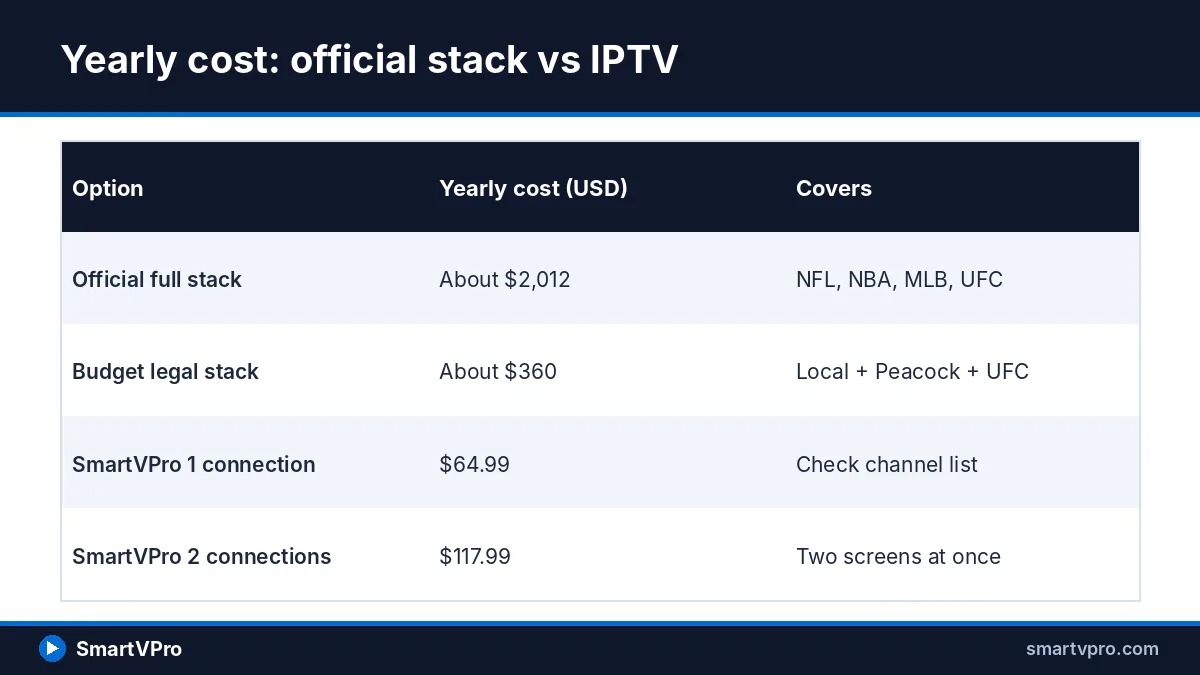
Take a fan who wants every NFL Sunday game, the NBA, baseball, UFC and the streaming-only football games. Twelve months of YouTube TV at $82.99 is $995.88. Add Sunday Ticket at $378, League Pass Premium at $159.99, MLB.TV at $149.99, Peacock at $130, Paramount+ at $89.99 and a year of Netflix with ads at $107.88. The total is roughly $2,012 before taxes, Amazon Prime, any DAZN boxing cards and the 4K add-on.
That same fan would pay $64.99 for twelve months of SmartVPro on one connection, or $117.99 for two connections. That gap is the main reason people search for IPTV for sports. It is not apples to apples, though: the official stack comes with licensed feeds, guaranteed league coverage and big-company customer protections, which an IPTV subscription does not.
Worked example: the budget legal stack
You do not have to spend $2,000 to watch a lot of sports legally. An over-the-air (OTA) antenna picks up local CBS, FOX, NBC and ABC stations for free in most of the country, which covers most local NFL games. Add Peacock Premium ($130/year), Paramount+ Essential ($89.99/year, which now includes UFC) and ESPN Select ($139.99/year) and you reach about $360 a year. You lose out-of-market NFL Sunday games, most national ESPN cable windows and league passes, but it is an honest baseline to compare against.
What is IPTV for sports, and what does it not guarantee?
IPTV (Internet Protocol Television) simply means live TV delivered over an internet connection instead of cable, satellite or antenna. YouTube TV is technically IPTV, and so is a third-party subscription you load into a player app. When people say “IPTV for sports,” they usually mean a third-party subscription that bundles many sports channels into one login.
A few terms come up constantly. An EPG (electronic program guide) is the on-screen TV grid showing what is on each channel. An M3U link is a playlist URL that lists channels for a player app to load. Xtream Codes is a login format (server address, username, password) many player apps accept instead of a raw playlist. Catch-up means you can replay a recent program from the guide after it has aired.
Here is what IPTV for sports does not guarantee. It does not guarantee that any specific network will be present all season. It does not guarantee the same reliability as a licensed broadcaster with contractual service levels. It does not include the official league apps’ extras, such as NFL Sunday Ticket’s multiview tools. And it does not make unlicensed content legal. SmartVPro advertises 99.9% server uptime; that is the company’s own claim, which is why a game-day trial is worth more than any marketing figure.
What should you look for in an IPTV for sports subscription?
Live sports is unforgiving: everyone hits play at the same minute, and a 20-second stall can mean a missed touchdown. These five features separate usable IPTV for sports from a frustrating one, roughly in order of importance.
Stability at kickoff
The hardest moment for any streaming server is 1:00 p.m. ET on an NFL Sunday, when demand spikes in seconds. A service that works perfectly on a Tuesday night can struggle then. The only reliable way to judge this is to test during a peak window: an early NFL Sunday slate, a Monday night game or a major PPV main event. Watch for freezes, audio drift and channels that drop entirely.
4K and 60 frames per second
Frame rate matters more than resolution for fast sports. A 60fps feed keeps a football spiral or a hockey puck smooth, while a 30fps feed can look choppy on fast pans. Most US sports broadcasts are produced in HD, and only some events are produced in 4K, so a “4K” label on a channel is only as good as the original source. SmartVPro offers up to 4K where the source supports it; check which sports channels list 4K or FHD versions.
A working EPG and catch-up
With hundreds of sports channels, a guide is not optional. A good EPG shows the game name in each time slot so you can find the Ohio State game without opening twenty channels. Catch-up lets you restart a game that began while you were driving home. Test both: open the guide on a Saturday and confirm that listings match real kickoff times, then try replaying a game from earlier in the day.
Enough connections for your household
Each simultaneous stream uses one connection. If two people watch different games, or you run a TV plus a tablet for a second game, you need two connections. Trying to share one login across devices usually ends with one stream cutting out. Our guide to running IPTV on several devices explains how connections work and when the 2-connection plan pays for itself.
PPV event channels
Boxing cards and some special events still sell as pay-per-view (PPV) in the US. Many IPTV services, SmartVPro included, list dedicated PPV event channels that light up on fight nights. Look at how those channels appear in the guide during the week before a big card, and confirm they are present on your plan rather than assuming every listed event will run.
How does NFL viewing work with IPTV for sports?
The NFL is the main reason Americans shop for IPTV for sports, and the most fragmented league to follow. In 2026, games are split across local networks, ESPN, Peacock, Prime Video, Netflix and Sunday Ticket. The table maps each official window, which helps when you check any channel list.
| NFL window | Official home in 2026 | What to check on an IPTV channel list |
|---|---|---|
| Sunday 1:00 and 4:05/4:25 p.m. ET | Local CBS and FOX; out-of-market games via NFL Sunday Ticket | CBS and FOX affiliates from several cities; any NFL game-day channels |
| Sunday night | NBC and Peacock | NBC affiliates |
| Monday night | ESPN and ABC | ESPN and ABC channels |
| Thursday night | Amazon Prime Video | Event or league channels; Prime-only games are the hardest to find |
| Christmas Day, Thanksgiving Eve, select others | Netflix | Event channels; availability varies |
Sunday afternoons and out-of-market games
If you live in Denver but grew up a Giants fan, your local CBS or FOX station shows the Broncos, not your team. Officially, the fix is NFL Sunday Ticket on YouTube, which costs $378 for the 2026 season if you already pay for YouTube TV, or $480 through YouTube Primetime Channels without it; eligible new YouTube TV members see discounts from $240. People buying IPTV for sports typically look for CBS and FOX affiliates from other cities, which is why a list with many local stations matters for NFL fans.
RedZone-style multi-screen viewing
Many fans want to see every scoring play across the 1:00 p.m. slate. Officially, that means NFL RedZone or YouTube TV’s multiview, which shows several games at once on one screen. With an IPTV service, you can approximate this with a player app that supports multi-view, or by running two devices on a 2-connection plan. Each tile in a multi-view player usually counts as its own stream, so four tiles on one connection will not work.
Thursday, Sunday and Monday nights
Prime-time games are the easiest to find, because NBC, ESPN and ABC are mainstream channels. The exceptions are the streaming-only games: Thursday Night Football on Amazon Prime Video and the handful of Netflix NFL games in 2026, which include a Thanksgiving Eve game and two Christmas Day games. These are often the hardest windows for any third-party service, so do not assume they will appear; check the guide during the week.
What about NBA, NHL, MLB and college sports?
Basketball, hockey, baseball and college sports bring a different headache from the NFL: regional sports networks (RSNs) and blackouts. Your local team’s games often sit on a regional channel, and league passes black out those same games to protect that regional deal. This is where IPTV for sports is most often compared with official league passes.
NBA: national partners and League Pass blackouts
For 2026-27, national NBA games are split among ESPN and ABC, NBC and Peacock, and Amazon Prime Video. NBA League Pass costs $109.99 a season or $16.99 a month, and Premium costs $159.99 or $24.99. The official League Pass FAQ confirms blackouts apply in the US for local and national games, and notes that Premium allows three devices at once versus one on the standard plan.
So a Lakers fan in Los Angeles cannot watch Lakers games on League Pass; those go to the local regional network or a national partner. People who use IPTV for sports typically look for the regional network and national channels on the list. Our view: if you follow one local team, check that team’s regional feed on the channel list during the trial, because that is where coverage varies most.
NHL: national windows and out-of-market games
NHL national games in the US air on ESPN and ABC, and on TNT, while most regular-season games air on regional networks. Out-of-market games have historically streamed through ESPN’s app, with local blackouts. Because the ESPN streaming tiers were reorganized in 2025 and repriced in 2026, confirm the current NHL package inside the ESPN app before you pay. For an IPTV comparison, the same rule applies: look for TNT, ESPN and the regional channel that carries your club.
MLB: postseason over, but plan for spring
Baseball is over by November, but plan ahead. In 2026, MLB.TV moved to ESPN’s platform at $149.99 a season (or $134.99 for ESPN Unlimited subscribers) and $29.99 a month, and blackouts still apply in a team’s home market. A 12-month IPTV for sports plan bought now runs into spring training and Opening Day.
College football and basketball
College sports are scattered across ESPN’s networks, conference channels, FOX, CBS, NBC and streamers, with a dozen or more games on at once on a November Saturday. During the trial, open the EPG on Saturday morning and count how many of your games show up with correct titles. That check tells you more than any channel count.
How do UFC, boxing and PPV events fit in?
Combat sports changed in 2026. UFC’s US deal moved from ESPN to Paramount, which means the old $79.99 UFC pay-per-view fee is gone. Under the seven-year agreement, all 13 numbered events and 30 Fight Nights stream on Paramount+ at no extra cost, with some marquee cards also on CBS. Paramount+ raised prices in January 2026: Essential is now $8.99 a month and Premium $13.99, and free trials ended.
That makes UFC one of the cheapest sports to watch legally, at under $90 a year. If UFC is your main sport, our honest view is that Paramount+ is very good value, and IPTV for sports makes more sense only if you also want the NFL, NBA and more in one app.
Boxing is still the PPV-heavy sport. Many of the biggest cards stream on DAZN, which sells a monthly subscription and charges extra for major events, with prices set per fight and shown at checkout. Big boxing PPVs can cost as much as several months of IPTV for sports on their own. SmartVPro lists PPV channels; whether a specific fight appears is something to check in the guide that week, not something any IPTV provider can promise in advance.
Ready to compare terms? See SmartVPro’s 1- and 2-connection plans on the main plans page. The 3-month plan at $29.99 covers the rest of the NFL regular season and playoffs, while the 12-month plan at $64.99 runs through the NBA and NHL playoffs and well into the 2027 MLB season.
How do you test IPTV for sports on game day with the $2 trial?
A 24-hour trial is only useful at the right time; a quiet Wednesday tells you nothing about a crowded Sunday. Use this protocol to turn $2 into a real stress test of IPTV for sports.
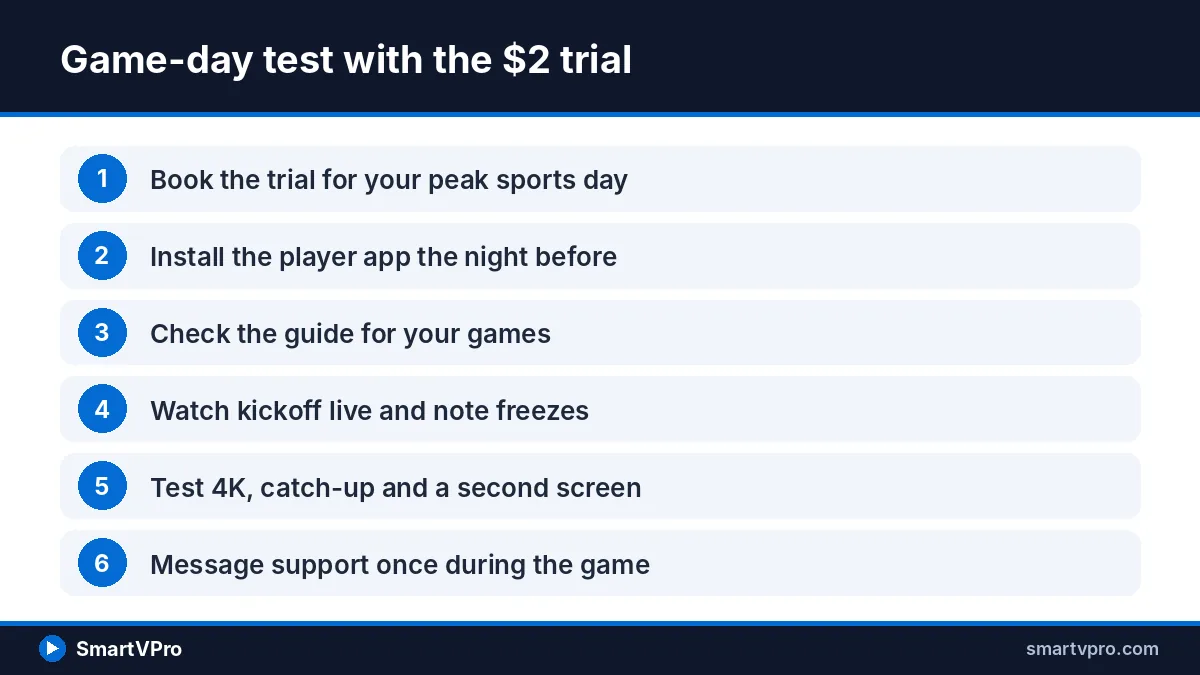
- Pick your window. Request the trial so it covers your heaviest sports day: Sunday from noon ET for the NFL, Saturday for college football, or a fight night for PPV.
- Set up the night before. Install a player app and enter your login using the IPTV player installation tutorial, so you are not troubleshooting at kickoff.
- Check the guide. Open the EPG and search for the specific games and channels you watch most. Note anything missing.
- Watch the opening kickoff live. The first ten minutes of a 1:00 p.m. ET slate is the peak-load moment. Note any freezes, audio sync problems or channels that refuse to load.
- Test quality. Switch between HD, FHD and 4K versions of a channel where offered, and confirm motion looks smooth on fast plays.
- Test catch-up. Replay a game or segment from earlier in the day from the guide.
- Test your second screen. If you plan to buy two connections, run a second device at the same time during the trial window to see how it behaves.
- Contact support once. Send a question by WhatsApp or email during the game and note how fast you get a useful answer.
Write down what worked and what did not. If the service handled your peak window, buying a longer term is a reasonable next step. If it struggled, you have spent $2 instead of a full season. Purchases after the trial fall under SmartVPro’s 3-day refund policy for eligible purchases, which is worth reading so you know the exact conditions.
Which devices and settings work best for sports streaming?
Your device and network matter as much as your IPTV for sports provider. A strong subscription on a weak stick over crowded Wi-Fi looks worse than an average one on a wired box.
| Device | Strengths for sports | Watch-outs |
|---|---|---|
| Amazon Fire TV Stick 4K | Affordable, widely used, supports most IPTV player apps | No built-in Ethernet port; needs an adapter for a wired connection |
| NVIDIA Shield TV / Shield TV Pro | Fast processor, built-in Gigabit Ethernet, strong upscaling | Higher price; older hardware generation |
| Apple TV 4K | Smooth interface, frame-rate matching setting, Ethernet on the higher-storage model | Fewer IPTV player apps than Android TV; some are paid |
| Android TV / Google TV boxes | Wide app choice, many models with Ethernet | Quality varies a lot by brand |
| Smart TVs (Samsung, LG) | No extra device needed | Limited app choice and slower processors on older models |
Fire TV is the most common starting point in the US. If that is your device, follow our step-by-step Firestick IPTV setup for 2026, which covers installing a player app and loading your login details. Our view: for a dedicated sports TV, a box with a built-in Ethernet port is worth the extra cost, because it removes Wi-Fi as a variable on the busiest days.
Settings that make a visible difference
- Use Ethernet where possible. A wired connection avoids interference from neighbors’ networks and other devices in the house.
- Turn on frame-rate matching. On Apple TV, the Match Content settings let the TV switch to the stream’s frame rate; many Android TV players have a similar option. This reduces judder on 60fps sports.
- Turn off motion smoothing on the TV. TV-side “soap opera effect” processing can add artifacts on fast action; try sports mode or a low smoothing setting instead.
- Raise the player buffer slightly. Many IPTV players let you increase the buffer size. A slightly larger buffer adds a few seconds of delay but absorbs short network hiccups.
- Choose the right stream version. If a 4K version stutters, the FHD version of the same channel often looks better in practice than a 4K feed that keeps buffering.
Bandwidth is the other half. As a rule of thumb (our recommendation, not a provider requirement), plan for at least 25 Mbps of real, measured speed per 4K stream and around 10 Mbps per HD stream, with extra headroom if others in the house are gaming or on video calls. Run a speed test on the streaming device itself, not on your phone, because the device’s own connection is what counts.
How do you avoid buffering during big games?
Buffering during a big game usually comes from your home network, your internet provider’s route, or the server under peak load. You control the first two, so work through these checks in order whenever IPTV for sports stutters.
- Restart the streaming device and router before the game, not during it. A fresh start clears memory leaks in older sticks.
- Clear the player app’s cache. On Fire TV and Android TV, this lives in the app settings menu.
- Move to Ethernet or a 5 GHz Wi-Fi band, and keep the router in the open rather than behind the TV.
- Pause other heavy traffic in the house, such as large game downloads or cloud backups.
- Drop from 4K to FHD on the same channel if the issue started at a busy moment.
- Try a backup version of the channel. Sports IPTV lists often carry more than one feed of the same network.
- Contact support with the channel name and time, so the provider can check that specific stream.
Some viewers find that their internet provider slows video traffic at peak hours, and they use a VPN (virtual private network) to change the route. Results vary by provider and location, and a VPN can just as easily slow a stream down. For the full troubleshooting process, including app-specific fixes, see our step-by-step buffering fix. It is worth reading before a big weekend, not after the stream drops.
Legal and safety notes for US viewers
IPTV is a delivery technology, and the technology itself is lawful: YouTube TV, Sling and Fubo all deliver live TV over the internet. Whether a particular service is legal depends on whether the content it streams is licensed from the rights holders. Sports rights in the US are licensed league by league and network by network, which is why official prices are what they are.
Federal law targets unlicensed streaming operators. The Protecting Lawful Streaming Act, codified at 18 U.S.C. § 2319C, makes it a felony to willfully run a commercial service primarily designed for, or marketed for, unauthorized streaming of copyrighted works, with penalties of up to three years for a first offense, five years when the content is being prepared for commercial performance such as live sports, and ten years for repeat offenses. According to the Copyright Alliance summary, the law does not reach ordinary individual users.
That said, the law not targeting viewers does not make every service lawful to use, and copyright owners have civil remedies too. We do not claim that any specific IPTV service, including our own, is licensed for every channel it lists, and you should not read this article as legal advice. For a fuller explanation of how US law treats different IPTV setups, read our overview of whether IPTV is legal in the USA.
For safety, install player apps only from official app stores or the developer’s own site, never send bank logins or card details over chat, pay with a method that has buyer protection such as PayPal, avoid “lifetime” plans, and keep your login private.
Is IPTV for sports the right choice for you?
The honest answer depends on how many leagues you follow. If you watch one sport, an official service is usually affordable and dependable: Paramount+ for UFC, Peacock for Sunday night football and NBC’s NBA games, or an antenna for local NFL games. If you follow three or more leagues and cannot justify $1,500 to $2,000 a year, IPTV for sports is the option many households weigh against that bill. Use this checklist before you decide.
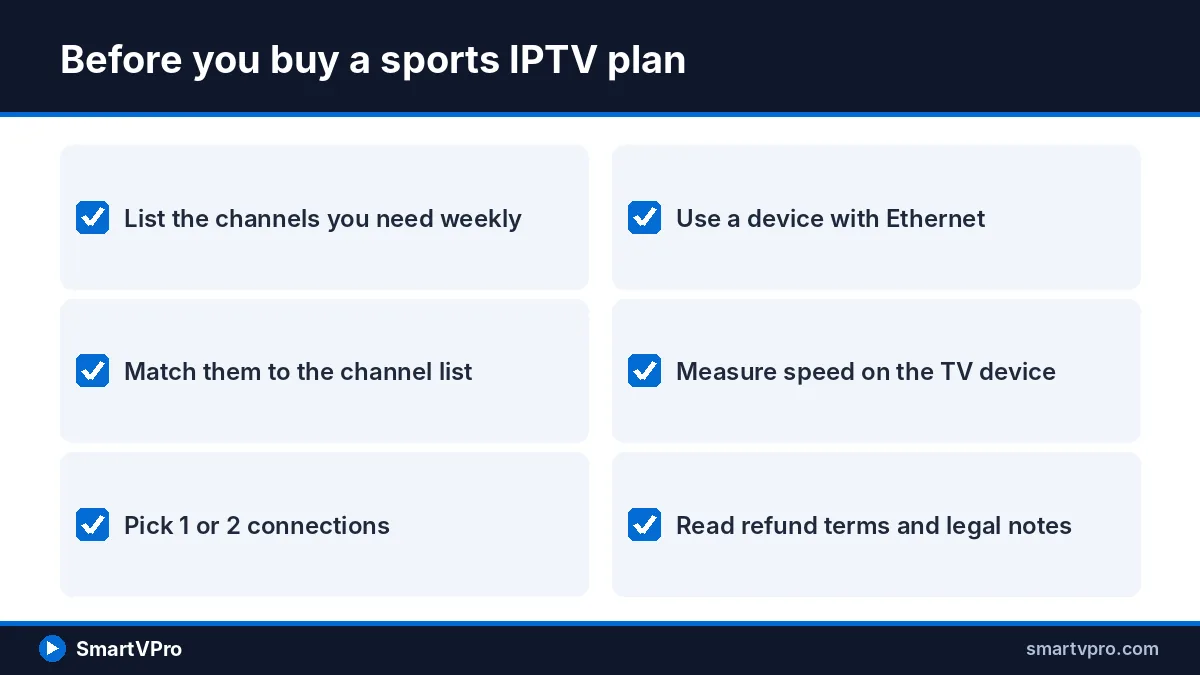
- I have listed the leagues, teams and specific channels I need each week.
- I have checked those channels against the provider’s channel list.
- I know how many screens will play at the same time (1 or 2 connections).
- My streaming device supports a good player app, ideally with Ethernet.
- My measured speed on the TV device leaves headroom for HD or 4K.
- I plan to run the trial during a real peak window, not a quiet weekday.
- I have read the refund conditions and the legal notes.
- I have compared the cost against the official services I would actually buy.
If most of those boxes are ticked, the sensible next step is a low-risk test. You can book the 24-hour game-day trial for $2 and run the protocol above, or go straight to the SmartVPro subscription plans for US viewers if you already know the service suits your setup. Support is available 24/7 by WhatsApp and email for setup questions.
More buyer guides: if you watch in Spanish, read our latino IPTV guide, and if price is your main concern, compare the cheapest live TV streaming services of 2026.
Frequently asked questions
What is the best IPTV for sports in the USA?
There is no independent ranking we can point to, so the best IPTV for sports is the one that carries your specific channels and stays stable during your peak games. Check the channel list for your teams, run a paid trial during an NFL Sunday or fight night, and compare the result with official options such as YouTube TV, Peacock and Paramount+ before choosing a longer plan.
Can I watch NFL games with IPTV for sports?
Many sports IPTV services list CBS, FOX, NBC, ESPN and ABC channels that carry NFL games, but coverage varies, and streaming-only games on Prime Video and Netflix are the hardest to find. Officially, out-of-market Sunday games require NFL Sunday Ticket, which costs $378 for existing YouTube TV members in 2026. Check the guide during the week before you rely on any service.
Do I still need to pay for UFC pay-per-view in 2026?
No, not in the US. Under UFC’s seven-year deal with Paramount, all 13 numbered events and 30 Fight Nights stream on Paramount+ at no extra cost, and the old $79.99 pay-per-view fee ended. Paramount+ Essential costs $8.99 a month or $89.99 a year after the January 2026 price increase.
How much internet speed do I need for sports IPTV in 4K?
Our rule of thumb is at least 25 Mbps of measured speed per 4K stream and around 10 Mbps per HD stream, plus extra headroom for other devices in the house. Test speed on the streaming device itself, and use Ethernet where possible, because Wi-Fi congestion is a common cause of buffering during big games.
Is IPTV for sports legal in the USA?
IPTV is a lawful technology, but legality depends on whether the content is licensed from rights holders. The Protecting Lawful Streaming Act makes running an unlicensed commercial streaming service a felony; summaries of the law say it does not target individual viewers. This is not legal advice, and no one should assume every IPTV service is licensed.
How many connections do I need for watching multiple games?
Each stream playing at the same time uses one connection. One person watching one game needs one connection, while two TVs showing different games, or a multi-view player showing two games, needs two. SmartVPro’s 2-connection plans cost $25.99 for one month and $117.99 for twelve months.
How should I use the $2 24-hour IPTV trial?
Schedule the trial to cover your busiest sports window, such as an NFL Sunday afternoon or a big fight night. Set up the player app the night before, check the guide for your games, watch the opening kickoff live, test 4K and catch-up, run a second device if needed, and contact support once to judge response time.
Sources
- YouTube NFL Sunday Ticket 2026 details — 9to5Google (accessed November 2026)
- Everything to Know About YouTube TV in 2026 — Cord Cutters News (accessed November 2026)
- ESPN announces streaming price hike as it marks its first anniversary — NewscastStudio (accessed November 2026)
- NBA League Pass 2026-27 Plans and Prices — AmericanTV (accessed November 2026)
- NBA League Pass FAQs — NBA.com (accessed November 2026)
- ESPN Is Now the Home of MLB.TV — Cord Cutters News (accessed November 2026)
- Peacock moves forward with pre-NFL price increase — The Desk (accessed November 2026)
- UFC-Paramount deal: No more pay-per-view — FOX 5 New York (accessed November 2026)
- Paramount+ pricing 2026 — Clark.com (accessed November 2026)
- Netflix price increase 2026 — CBS News (accessed November 2026)
- Netflix Expands NFL Coverage in 2026 — The Viewer’s Perspective (accessed November 2026)
- Protecting Lawful Streaming Act Signed Into Law — Copyright Alliance (accessed November 2026)