
IPTV Box: Do You Need One in 2026? USA Buyer’s Guide
Quick answer: An IPTV box is a small streaming device, usually running Android TV, that connects to your TV by HDMI and plays an IPTV subscription through a player app such as IPTV Smarters Pro or TiviMate. You do not need a dedicated IPTV box: a Fire TV Stick 4K, Apple TV, Android TV box or a recent Smart TV does the same job, and the subscription is the same. Buy a box only if you want an Ethernet port, more storage and a faster chipset for 4K, and avoid “pre-loaded” boxes sold with channels included, because the channels stop when the seller disappears.
Table of Contents
What an IPTV box is
The term IPTV box is used for two different things. The first is any streaming device that can run an IPTV app: Fire TV Stick, Android TV box, Apple TV, Nvidia Shield, Chromecast with Google TV. (the IPTV article on Wikipedia explains how the technology works) The second is a “pre-loaded” IPTV box sold on marketplaces with a subscription baked in, often advertised as lifetime TV with no monthly fee. The first kind is a normal piece of hardware you own; the second kind is a reseller’s account hidden inside a cheap box, and when the reseller stops paying his supplier, your box goes dark.
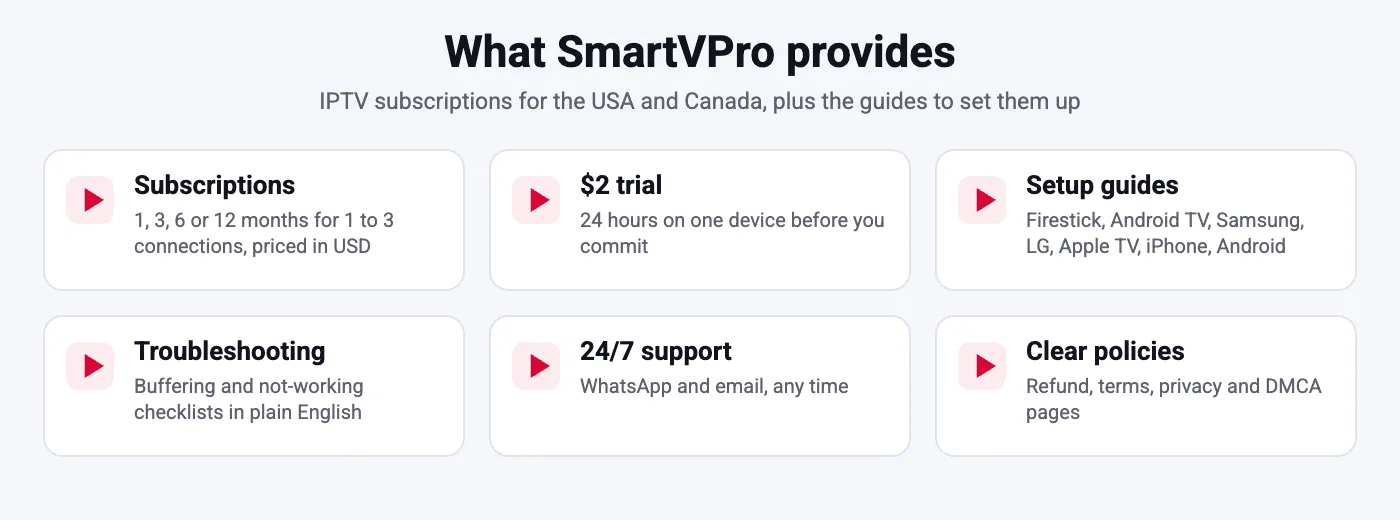
At SmartVPro the subscription and the device are separate on purpose. You buy a plan for 1 to 3 connections, receive a login, and use it on any IPTV box, stick, TV or phone you already own. If a device breaks, you install the app on the next one and log in again; nothing is lost.
Do you actually need an IPTV box?
Most US households do not need an IPTV box. If you already have a Fire TV Stick 4K, a Roku-free Android TV, an Apple TV or a Samsung or LG TV from the last five years, you can install a player and start streaming today. An IPTV box makes sense in four situations: your TV is old and has no usable apps; you want an Ethernet port for a rock-solid 4K sports stream; you want more storage for recordings and several apps; or you have a Roku TV, which does not run IPTV apps well. In every other case, a $50 stick does the job and is easier to carry to a second home.
IPTV box vs Fire TV Stick vs Smart TV vs Apple TV
| Device | Typical price | Strengths | Weaknesses |
|---|---|---|---|
| Fire TV Stick 4K / 4K Max | $40 to $60 | Cheap, huge app choice, TiviMate and IPTV Smarters Pro run well | Wi-Fi only without an adapter, limited storage |
| Android TV IPTV box (Google TV certified) | $60 to $150 | Ethernet, more RAM and storage, good 4K HEVC decoding | Quality varies by brand; avoid uncertified boxes |
| Nvidia Shield TV Pro | $200 | Fastest, best for 4K and recordings, long software support | Price |
| Apple TV 4K | $130 to $150 | Very smooth, Ethernet on the higher model, great for iPhone households | Fewer IPTV apps than Android, TiviMate not available |
| Samsung / LG Smart TV | Already owned | No extra device; IBO Player, Smart IPTV, SET IPTV | Older TVs struggle with 4K; small app activation fee |
| Pre-loaded “lifetime” IPTV box | $100 to $300 | None worth mentioning | Channels stop when the seller stops; no support; often outdated Android |
Our installation tutorial covers each of these devices step by step, and the Firestick guide shows why the stick is the default choice for most US viewers.
What to look for in an IPTV box
- Operating system: official Android TV or Google TV with Play Store. Boxes running phone Android or an unknown build get no updates and often fail to install apps.
- Chipset: Amlogic S905X4, S905Y4 or newer, or the chip in the Shield. These decode HEVC 4K at 60 fps in hardware, which is what live sports need.
- RAM and storage: at least 2 GB RAM and 16 GB storage; 4 GB RAM if you want recordings and several apps.
- Ethernet port: gigabit or at least 100 Mbit/s. A wired connection removes most buffering complaints; see our buffering guide.
- Wi-Fi 5 or 6 and Bluetooth: for a remote that does not need line of sight and for keyboards.
- HDMI 2.0 or 2.1 with HDCP 2.2: required for 4K output.
- Remote with voice search: optional, but it makes finding channels in a 10,000-channel list faster.
- Brand and support: choose a brand with a website, firmware updates and a warranty.
IPTV boxes to avoid
Avoid any IPTV box sold with “free channels for life”, “no subscription needed” or “all sports included”. The hardware is usually a generic Android box worth $30 with a reseller account inside; the seller has no way to keep it running once the supplier changes servers, and there is no support. Also avoid boxes with Android 9 or older, boxes without the Play Store, and boxes whose only app store is the seller’s own. Finally, be careful with marketplace listings that show a box with a brand-name TV interface; they are often clones. If you want to understand how to judge a seller, read how to tell if an IPTV service is legitimate.
Setting up an IPTV box in five minutes
- Connect the IPTV box to the TV with HDMI and to the router with Ethernet (or 5 GHz Wi-Fi), then power it on and sign in to your Google account.
- Open the Play Store and install TiviMate or IPTV Smarters Pro. Our IPTV Smarters Pro guide and TiviMate guide have screenshots.
- Order a SmartVPro plan or the $2 24-hour trial and copy the server URL, username and password from the message.
- Add the login in the app (Xtream Codes), wait for channels and the EPG to load.
- Set the player to hardware decoding, open a live sports channel and check that it plays smoothly; adjust the buffer if needed.
If the login is refused, the cause is almost always a typo; see our guide to the failed to authorize error.
How many connections does an IPTV box use?
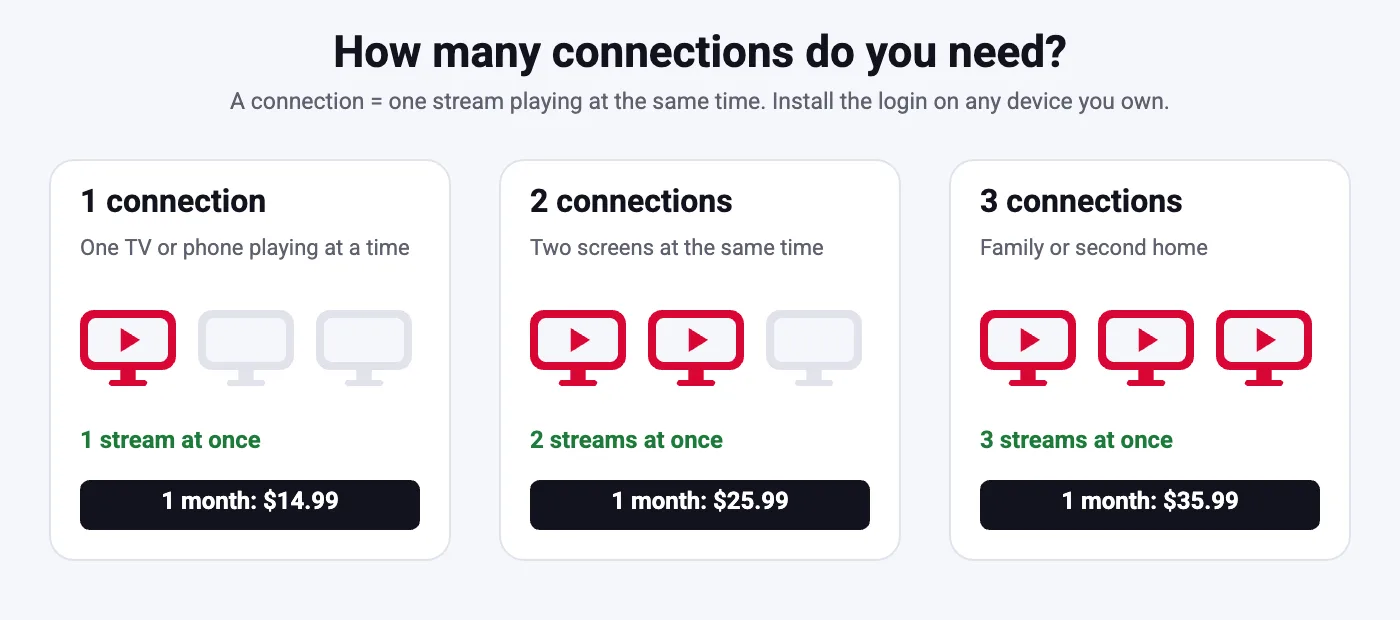
One IPTV box streaming one channel uses one connection. A 1-connection plan therefore covers one IPTV box, or one box plus a phone as long as they never stream at the same time. Households with a box in the living room and a stick in the bedroom should pick a 2- or 3-connection plan; it is far cheaper than two subscriptions. Multi-screen mode in IPTV Smarters Pro counts each window as a connection. Our guide to IPTV on multiple devices explains the details, and the plans page lists prices from $14.99 per month for one connection up to $155.99 for 12 months with three connections.
IPTV box prices and value in the USA
A good IPTV box costs between $40 for a Fire TV Stick 4K and $200 for a Shield TV Pro. Spend more on an IPTV box only if you need Ethernet, 4K at 60 fps and recordings. The subscription is where the real value sits: a 12-month SmartVPro plan for one connection costs $64.99, roughly $5.40 a month, and there is no automatic renewal. Compare that with the price of a cable package and the box pays for itself in the first month. Everything you need to decide is on the IPTV subscription price page.
Is an IPTV box legal?
The IPTV box itself is ordinary consumer electronics and is legal to buy and own in the USA. What matters is the service you load on it and whether that service has the rights to the content it streams. Pre-loaded boxes sold as “free TV forever” have been the subject of enforcement actions because of the service inside them, not the hardware. Buy a clean box, choose a provider with a real website and policies, and read is IPTV legal in the USA before subscribing.
Our recommendations by budget
Under $60: Fire TV Stick 4K or 4K Max. Add a $15 Ethernet adapter if your router is near the TV. This covers HD and most 4K streams and runs TiviMate and IPTV Smarters Pro without issues. $150 and up: Nvidia Shield TV Pro or Apple TV 4K (Ethernet model).
$60 to $150: a Google TV certified Android box with an S905X4 or newer chipset, gigabit Ethernet and 4 GB RAM; look for brands that publish firmware updates. Both are overkill for HD but are the smoothest choice for 4K sports, recordings and households that switch between several apps. Whatever you pick, the SmartVPro login is the same, so you can start on a stick today and upgrade to a box later without changing plans.
Common IPTV box problems and fixes
- Apps will not install: the box is not Play Store certified. Return it and buy a Google TV certified model.
- Buffering on every channel: network, not the box. Use Ethernet or 5 GHz and follow the buffering checklist.
- 4K channels stutter, HD is fine: the chipset cannot decode HEVC 4K fast enough, or the HDMI cable is old. Use a High Speed HDMI cable and check the box output is set to 2160p.
- Login refused: typo or expired plan; see the failed to authorize guide.
- Remote lag: too many background apps on a 2 GB box. Uninstall unused apps or move to a box with 4 GB RAM.
- Box shows channels from a seller you did not choose: it is a pre-loaded box. Factory reset it, install a clean player and use your own subscription.
IPTV box or Smart TV app: a quick decision guide
Choose the Smart TV app if your TV is from 2020 or later, you mainly watch HD and you do not want another remote; IBO Player or Smart IPTV with a SmartVPro M3U link works well and costs only a small one-time app activation. Choose a premium box (Shield, Apple TV 4K) if several people use the TV every day and you want the fastest interface for years.
Choose a stick or IPTV box if your TV is older, you want TiviMate, you need Ethernet for 4K sports, or you want to carry the device between homes. In every scenario the subscription stays the same, so the decision is purely about hardware comfort, not about channels. If in doubt, start with the $2 trial on the device you already own; it tells you in 24 hours whether you need to buy anything at all.
IPTV box glossary
- Android TV / Google TV: Google’s TV operating system with the Play Store; the one you want on an IPTV box.
- HEVC (H.265): the video format most 4K IPTV streams use; needs hardware decoding in the box chipset.
- Xtream Codes: the login type (server URL, username, password) used by IPTV Smarters Pro and TiviMate; loads EPG and catch-up automatically.
- M3U: a playlist link alternative to Xtream Codes, common on Smart TV apps.
- EPG: the electronic program guide that shows what is on now and next.
- Connection: one stream playing at a time; your plan sets how many you can run simultaneously.
- Sideloading: installing an app from an APK file rather than a store, standard on Fire TV Sticks.
- HDCP 2.2: copy protection required on the HDMI port for 4K output.
- Pre-loaded box: a box sold with a reseller account inside; avoid.
Frequently compared: IPTV box vs cable box
A cable box is rented from a cable company, while an IPTV box is yours, locked to that company’s package and usually tied to a contract. An IPTV box is hardware you own that can run any streaming app, including IPTV players, YouTube, Netflix and games, with a subscription you choose and can stop at any time. The IPTV box also travels: plug it into a hotel TV with Wi-Fi and your channels come with you. The trade-off is that you manage the setup yourself; our guides above and 24/7 support make that a five-minute job, and the customer reviews page shows how other US viewers made the switch.
Setting expectations: what a box cannot fix
An IPTV box improves decoding, storage and the interface, but it cannot fix a slow internet plan, weak Wi-Fi, or a provider with overloaded servers. If streams buffer on a Fire TV Stick over Ethernet, they will buffer on a $200 box too.
Before spending money on hardware, run a speed test on the current device, try a wired connection and test during the evening peak; if those three pass and the stream still fails, the provider is the problem, not the box. That is exactly what the 24-hour trial is for: it lets you see how the service behaves on the hardware you already own, so you only buy a box if the device, not the service, is the limit.
Likewise, a box does not change which channels you receive; the lineup comes from the subscription. Compare the channel list before you buy any hardware, and remember that the same login works on every device you add later.
Frequently Asked Questions
What is an IPTV box?
A small streaming device, usually running Android TV, that connects to your TV by HDMI and plays an IPTV subscription through an app such as IPTV Smarters Pro or TiviMate. Fire TV Sticks, Apple TV and Smart TVs can do the same.
Do I need an IPTV box to use SmartVPro?
No. Any Fire TV Stick, Android TV, Apple TV, iPhone, Android phone or recent Samsung or LG Smart TV works with the same login.
Which IPTV box is best in 2026?
For most people a Fire TV Stick 4K Max; for 4K sports with Ethernet, a Google TV certified Android box or the Nvidia Shield TV Pro; for Apple households, the Apple TV 4K.
Are pre-loaded IPTV boxes with lifetime channels a good deal?
No. The channels come from a reseller account hidden in the box and stop when the seller stops paying. Buy a clean box and a subscription from a provider with a website and support.
Can I use one IPTV box with one subscription on two TVs?
Each box streaming at the same time uses one connection. Choose a 2- or 3-connection plan for two TVs, or move the box between rooms.
Does an IPTV box need Ethernet?
Not strictly, but a wired connection removes most buffering problems, especially for 4K live sports. If Wi-Fi is the only option, use 5 GHz close to the router.
Have a box or stick already?
Order the $2 24-hour trial, install TiviMate or IPTV Smarters Pro and test your device on live sports before choosing a plan. Support is available 24/7 on WhatsApp.